Best Brand Asset Management Tools for 2026
Compare the best brand asset management tools of 2026: features, pricing, pros, cons, and which one is right for your team.
Your brand’s assets are more than just logos, color schemes, and taglines. They’re the building blocks of your brand’s identity. As your business grows, so does the mountain of marketing materials, logos, images, and design files. That’s where powerful brand asset management tools come in, helping you keep everything organized, accessible, and on-brand.
Naturally, whether you’re an agency managing multiple clients or a business scaling its brand presence, having reliable brand asset management tools can save time, maintain consistency, and take your brand strategy to new heights. Let’s introduce you to the best brand asset management solutions out there.
Key Criteria for Choosing Brand Asset Management Tools
When it comes to picking the right brand asset management tool, there are a few essentials to keep in mind. Here’s what separates a good tool from a great one.
Asset Organization and Retrieval
- Quick and easy access to brand assets matters most. Look for tools that allow you to search, filter, and sort with ease.
- Custom tagging options let you label assets your way, making them easier to find in a snap.
- Centralized libraries ensure every team member can access the latest, approved assets, cutting down on file chaos.
Customization and Branding Options
- You want a tool that feels like your brand. Choose one that allows you to add your logos, colors, and unique touch.
- Customizable templates are a big plus, helping your team stick to brand guidelines effortlessly.
- White-labeling options can make your brand asset management tool feel like an extension of your brand when shared with clients or partners.
Collaboration and Sharing Capabilities
- For example, look for tools that make it easy to share assets internally and externally with just a few clicks.
- Commenting and feedback features speed up approvals and keep feedback all in one place.
- Permissions and access controls allow you to choose who can view, edit, or download specific assets, so accidental edits stay off the table.
Security and Permission Controls
- Above all, protect your brand assets with robust security measures like multi-factor authentication and SSL encryption.
- Granular permission settings let you control who sees what, so sensitive files are always secure.
- Audit logs help you track any changes or downloads, giving you a clear record of asset usage.
Integration with Other Tools
- Choose a brand asset management tool that plays nicely with the tools you’re already using, like Slack, Adobe, and your favorite project management platform.
- Look for API access if you need custom integrations to match your workflow perfectly.
- Integration with cloud storage (like Google Drive, Dropbox) can also make transitions smoother if you’re upgrading from a simpler setup.
Pricing and Scalability
- Whether you’re a small business or a large agency, flexible pricing options are key, especially if you’re planning to grow.
- Look for tools that offer different plans for varying team sizes and feature needs.
- Free trials or demos are always a win, so you can test the waters before making a commitment.
Top Brand Asset Management Tools
Here’s a roundup of the best brand asset management tools to help you organize, share, and protect your brand assets. Dive in to find the perfect fit for your brand’s needs.
Brandy: Our Top Brand Asset Management Tool Pick
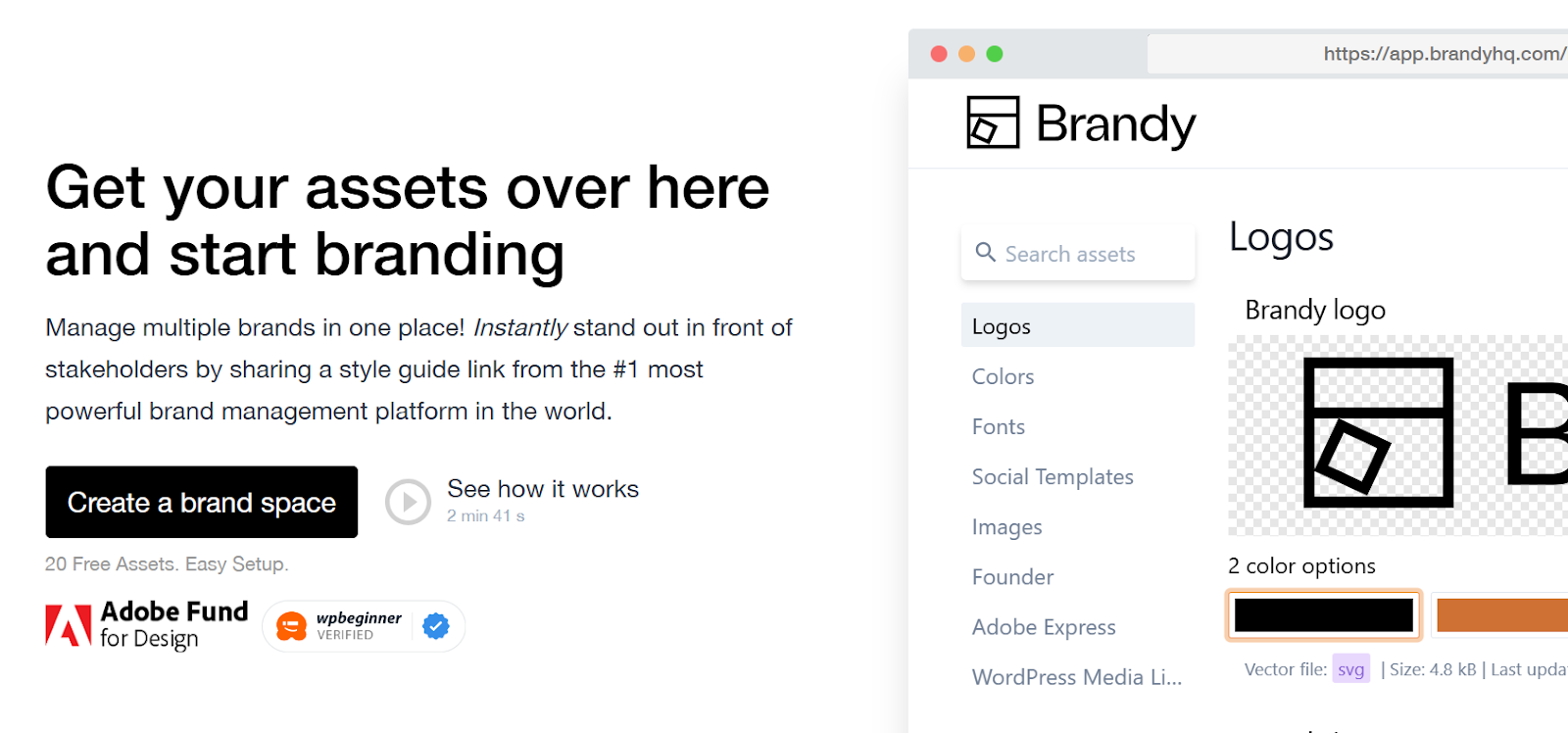
Brandy is a brand asset management platform that keeps a company’s logos, colors, fonts and brand guidelines in one place and shares them through a single link. Agencies use it to give each client a white-label brand portal on its own domain, and teams can start on a free plan with 20 assets. Brandy is backed by Adobe and built by designers who understand what marketers and agencies need.
Key Features
- Manage Multiple Brands in One Place: Brandy allows agencies to handle assets for multiple brands without the confusion of separate storage systems, keeping everything under one roof.
- Built by Designers, for Marketers and Agencies: Designed with creative teams in mind, Brandy offers an intuitive interface, making it easy to find and share assets quickly.
- 30+ Supported File Formats: From high-resolution images to PDFs and videos, Brandy supports over 30 file formats.
- Shareable Links: Generate secure, shareable links for files in just a few clicks, so every link always points to the current approved asset.
- Built-in File Conversion: Convert file formats directly within the platform, saving you time and the hassle of juggling third-party tools.
- Enterprise Governance: Admin dashboard, download request and approval workflows, and SSO for editors give larger teams the controls they need, without an enterprise sales cycle to get there.
Pros
- Centralized storage saves time and reduces file chaos.
- Ensures brand consistency by keeping all assets organized.
- Unlimited seats on every plan, so the whole team gets access without per-seat costs adding up, unlike Bynder, Brandfolder, or Frontify.
- The only tool on this list with a genuine free-forever plan and transparent self-service pricing; every other option here requires a sales call just to learn what it costs.
- You can sign up and be organizing assets in minutes, not weeks of enterprise onboarding.
Cons
- Smaller ecosystem of third-party integrations than long-established enterprise DAM platforms.
Pricing
Brandy offers a free-forever plan, then paid tiers starting at $5/month, scaling up through Business, Agency, Premium, and Unlimited, with custom Enterprise pricing for global brands. Every price is public. See full pricing details.
In short, Brandy provides everything you need to keep your brand organized, consistent, and ready to scale, at a price and speed of setup none of the other tools on this list can match.
Frontify: Enterprise Brand Asset Management Tool
Frontify is a robust brand management platform built for companies that need to create, store, and share brand assets at scale. Designed with enterprise needs in mind, Frontify connects brand guidelines, digital asset management (DAM), and design templates, giving teams a collaborative hub where they can keep brand materials consistent and accessible.
Key Features
- Brand Guidelines: Centralize brand guidelines, DAM, and templates to create a unified, collaborative hub that keeps all brand assets on-brand.
- Creative Collaboration: Streamline workflows so teams can collaborate on brand projects efficiently, keeping communication and feedback in one place.
- Digital and Print Templates: Use readymade templates for creating digital and print materials, helping maintain brand consistency across channels.
- Customizable Portals: Give employees and stakeholders access to brand guidelines, templates, and other resources to develop materials that align with brand standards.
Pros
- Helps large organizations maintain brand consistency across global teams.
- Offers extensive collaboration features, ideal for teams with complex approval processes.
- Customizable portals and templates make it easier to scale brand assets across departments.
Cons
- Primarily designed for enterprise-level needs, which may not suit smaller businesses.
- Can take time for new users to learn and navigate the platform effectively.
Pricing
Frontify uses a monthly active user (MAU) pricing model with no published rate card. Companies contact sales directly for a quote.
Know More: Check Out Frontify Alternative
Brandfolder: Brand Asset Management Tool by Smartsheet
Brandfolder, now part of Smartsheet, is a popular digital asset management (DAM) software designed to help companies manage, distribute, and analyze their digital assets all in one place. Known for its customization options, Brandfolder can be tailored to fit the unique needs of each customer, making it a versatile choice for brands looking to optimize their asset management processes.
Key Features
- Centralized Asset Management: Store all brand assets in a single location, ensuring teams access the latest, most accurate versions.
- Customizable Features: Tailor the platform’s features to suit specific brand needs, whether for organization, tagging, or distribution.
- Easy Access and Distribution: Share assets easily across teams or with external collaborators while maintaining version control.
- Continuous Updates: Brandfolder frequently introduces new features and improvements, keeping the platform at the forefront of DAM solutions.
Pros
- Easy to use with minimal learning curve, making it accessible to new users.
- Great for teams that need to ensure consistency by sharing the most current asset versions.
- Cloud-based, offering seamless access and integration options.
Cons
- Initial setup can feel overwhelming due to the abundance of features.
- Asset organization may become tricky without a solid tagging system in place.
- Enterprise-oriented pricing puts it out of reach for smaller teams.
Pricing
Brandfolder offers Premium and Enterprise plans, both quote-based and typically running well into the thousands per year. Companies can book a demo for tailored pricing.
Bynder
Bynder is an AI-powered digital asset management (DAM) solution that helps businesses control, organize, and distribute their brand assets efficiently. Known for its customizable, modular plans and robust integration capabilities, Bynder suits businesses looking for a tailored solution that fits seamlessly into their existing workflows.
Key Features
- AI-Powered DAM: Bynder leverages AI to streamline asset organization and retrieval, making it faster and easier for teams to find what they need.
- User Permissions: Control who can access and use specific assets with flexible permission settings, ensuring assets remain secure and on-brand.
- Rich Integrations: Connect Bynder with other tools to create a fully integrated brand asset management experience that aligns with any organizational structure.
Pros
- AI features enhance organization and searchability, saving time on asset retrieval.
- Strong integration options make it adaptable to a wide range of business tools and platforms.
- Permission controls give brands flexibility in managing asset access and usage.
Cons
- Some customers find there’s a learning curve, especially with the advanced features.
- Among the pricier options in this list, with no free plan or self-service tier.
- Modular pricing can make it difficult to estimate costs upfront.
Pricing
Bynder offers customized, modular plans tailored to each organization’s needs. Pricing is available upon request, with quotes based on selected features and use cases; contracts are typically annual.
Canto

Canto provides a digital asset management (DAM) solution that offers a visual, centralized way for organizations to store, organize, and share their brand assets. With a presence across multiple industries, from retail and education to healthcare and technology, Canto’s DAM solution helps businesses gain a competitive edge by saving time and improving brand consistency.
Key Features
- Centralized Library: Offers a visual way to store and organize digital assets, including images, documents, audio, and video files, in one accessible location.
- Advanced Search and Automatic Tagging: Powerful search tools make it easy to locate specific files, while auto-tagging saves time organizing assets.
- Watermark Automation: Automatically adds watermarks to images for added security and brand control.
- Permission Management: Includes copyright and permission functionalities to protect brand assets.
- Brand Controls and Integrations: Enforce brand identity guidelines with controls and integrations with various platforms for a smoother workflow.
Pros
- Ideal for industries needing a visual DAM solution with strong organizational features.
- Auto-tagging and search capabilities simplify asset management and retrieval.
- Supports a wide range of media file types, making it versatile across teams.
Cons
- User interface and experience feel somewhat dated, according to customer feedback.
- Best suited for larger teams; may not be ideal for small organizations.
- Organizational taxonomy can be confusing for some users.
Pricing
Canto lists four unpriced package tiers on its site (Core Essentials, DAM Plus, DAM for Products, DAM Pro). Third-party estimates put entry pricing around $6,000–$12,000 a year, but Canto itself confirms nothing publicly; interested companies request a quote.
Lingo
Additionally, Lingo is a digital asset management tool designed to help teams organize, manage, and share brand and product assets from a single platform. With AI-enhanced search, customizable domains, and download monitoring, Lingo suits brand teams and agencies looking to centralize and control asset access. The platform supports various use cases, including brand guidelines, digital asset management, and product information alongside creating digital brand hubs.
Key Features
- AI-Enhanced Search: Quickly locate assets with AI-driven search capabilities, saving teams valuable time.
- Public and Private Kits: Organize assets into public or private kits, making it easy to manage who can access specific collections.
- Custom Domains: Create a branded experience with customizable domains, ideal for agencies and brand teams.
- Download Requests: Track asset usage by monitoring who downloads which assets, helping maintain control over brand materials.
Pros
- AI-powered search simplifies locating assets, especially in large collections.
- Offers specialized solutions for both brand teams and agencies, providing flexibility based on team structure.
- Customizable domains allow brands to create a cohesive, branded experience.
Cons
- Cost setup can be high, especially for retail partnerships.
- The multi-step document submission process can be cumbersome for teams wanting a more intuitive workflow.
Pricing
Lingo offers custom pricing based on specific use cases and needs. Companies can request a quote for tailored pricing information.
Conclusion: The Best Brand Asset Management Tools
Ultimately, a well-chosen brand asset management tool can be the difference between streamlined, consistent branding and the chaos of disorganized assets. Each platform has unique strengths. Whether you’re seeking robust AI features, seamless collaboration, or advanced security, there’s an option to suit every team’s needs and scale. For most small to mid-sized teams and agencies, Brandy is the clear winner on this list, combining a genuine free-forever plan, unlimited seats, transparent pricing, and enterprise-grade governance at a fraction of what the enterprise-only platforms here charge. Investing in the right tool ensures your brand is always presented at its best, accessible to everyone who needs it, and ready to evolve with your business.
Looking for an easy and effective solution to manage your brand assets at affordable pricing? Sign up for Brandy today.