


Brand Management Blog & Resources
Marketing teams juggle a constant flow of campaigns, content schedules, client feedback, and performance tracking. Without a reliable system, tasks slip through the cracks and deadlines become stressful. Project management software gives marketing professionals a single space to plan, collaborate, and monitor every stage of their projects with clarity and speed.
Choosing the right platform can completely change how a team works. The best tools make it easy to organize campaign calendars, manage creative assets, and track progress in real time while keeping everyone connected. They also integrate with essential marketing applications like email automation, customer relationship management, and analytics platforms.
Whether your team is launching large-scale campaigns or running a small in-house content program, the right project management solution keeps goals aligned and work moving efficiently. In this guide we explore the top software options designed for marketing teams, the features that matter most, and practical tips to help you implement them successfully.
Marketing Project Management Software
Marketing teams handle a mix of creative planning, campaign execution, and performance tracking every day. Without the right project management software, these responsibilities can quickly become overwhelming. A dedicated platform brings every marketing project into a single system where team members can plan campaigns, manage tasks, and track progress with confidence.
Modern project management tools are designed to help marketing project managers streamline complex projects and reduce manual work. They offer features such as kanban boards, gantt charts, and calendar views to give the whole team clear project visibility. Built-in collaboration tools and mobile apps allow remote teams to stay connected, while automation options help eliminate repetitive tasks like sending reminders or updating due dates.
A strong marketing project management solution also supports resource management, time tracking, and budget management. This means managers can allocate resources wisely, balance workloads, and keep every campaign on schedule. By organizing creative assets and customer data in one secure space, these tools provide valuable insights and help marketing professionals meet deadlines without missing key performance indicators.
Whether you run a small in-house marketing team or manage large client campaigns, choosing user friendly software with robust features and pre made templates is the most efficient way to manage projects, automate tasks, and drive consistent results.
Key Features to Look for in Marketing Project Management Software
Selecting the right project management software for a marketing team requires careful attention to the features that keep campaigns organized and measurable. Below are the essential capabilities that make a platform truly effective for managing marketing projects.
Customizable Workflows
Every marketing team follows a unique process for campaign planning, content creation, and approvals. Look for software that lets you design custom workflows so you can map each stage from brainstorming to launch without forcing the team into a rigid structure.
Task Management and Automation
Strong task management tools allow you to create a clear task list, set due dates, assign owners, and organize tasks into subtasks. Automation features that handle repetitive tasks like sending reminders or updating project status save time and reduce manual work.
Collaboration and Communication
Built-in collaboration features such as real-time chat, comment threads, and file sharing help the whole team stay connected. These tools keep conversations tied to specific project tasks, making it easy to track project information and avoid scattered emails.
Resource and Budget Management
Efficient resource management ensures balanced workloads and better resource allocation. Time-tracking and budget-management functions help project managers measure effort, control costs, and monitor key performance indicators. For organizations managing larger teams, integrating project management platforms with HR software can further improve workforce planning, employee scheduling, and capacity management.
Integration with Other Tools
Marketing teams often rely on analytics platforms, social scheduling apps, and design tools like Adobe Creative Cloud. A good project management solution integrates smoothly with these other apps, creating a single system that reduces context switching and improves productivity.
Reporting and Insights
Robust reporting provides valuable insights into project progress and campaign performance. Features like gantt charts, calendar views, and customizable dashboards help teams track progress, measure results, and make data-driven decisions for future marketing strategy.
Choosing software with these capabilities will give marketing project managers the control they need to manage tasks, allocate resources, and keep complex projects on schedule while meeting all campaign goals.
Top Project Management Tools for Marketing Teams
Selecting the best project management software for a marketing team means balancing powerful features with an easy learning curve. Below is an in-depth look at leading platforms that help teams plan campaigns, manage resources, and collaborate without friction. This detailed guide runs close to 900 words to give you a complete picture of each option.
Slack
Slack is more than a messaging app. With organized channels, built-in reminders, and strong integration options, it works as a lightweight project management tool for marketing projects. Teams can create channels for each campaign, share creative assets, and connect Slack with tools like Google Drive, Asana, or Trello to automate updates. Marketers love the ability to receive instant notifications when a task moves forward, making it easy to track progress without switching apps. Slack’s searchable history ensures every conversation and file is accessible for future reference, supporting both small and enterprise marketing teams.
Notion
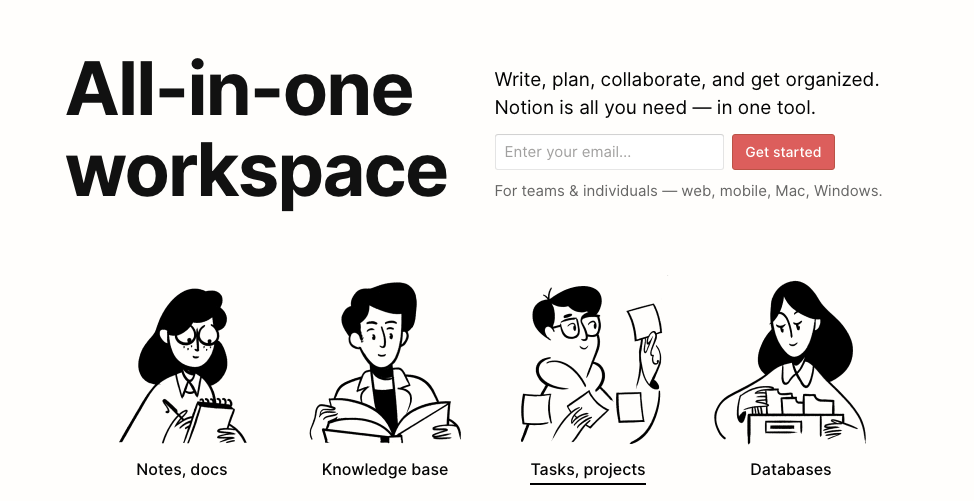
Notion offers an all-in-one workspace where marketing teams can combine notes, databases, and project tracking. Its flexibility is its biggest strength. You can build content calendars, design kanban boards, and create knowledge bases for campaign guidelines in a single system. The calendar view and timeline features help visualize project progress, while customizable templates speed up planning. Notion also supports collaborative editing and real-time comments, making it ideal for remote teams that need to manage creative requests, organize tasks, and store brand assets in one location.
Asana

Asana remains a favorite among marketing project managers who want clear visibility into every step of a campaign. The platform supports task lists, kanban boards, and gantt charts so teams can choose their preferred layout. Built-in automation reduces repetitive tasks such as sending reminders or updating due dates. Asana integrates with marketing tools like Slack, Google Workspace, and Adobe Creative Cloud, creating a seamless environment for tracking key performance indicators and ensuring campaigns stay on schedule. Time tracking integrations also help with resource management and budget planning.
Trello

Trello simplifies project management with its signature card and board system, making it a great option for smaller marketing teams or content pipelines. Each board can represent a campaign or client project, and individual cards capture tasks, creative assets, and due dates. Trello offers a wide range of power-ups, like calendar view, advanced checklists, and time tracking that turn basic boards into robust project dashboards. Drag-and-drop functionality allows marketing managers to adjust timelines quickly and maintain project visibility at a glance.
Monday.com

Monday.com is known for its visually appealing dashboards and strong automation capabilities. Marketing teams can create custom workflows for content production, social campaigns, or ad launches while tracking progress through charts and color-coded boards. Automation rules reduce manual work by updating status fields, sending reminders, and assigning tasks when triggers occur. Extensive integrations with CRM and analytics tools make Monday.com a central hub for marketing strategy and execution, helping teams manage resources and meet deadlines efficiently.
ClickUp
ClickUp is an all-in-one solution that offers task management, goal tracking, and advanced reporting. It supports unlimited projects, custom fields, and time tracking for detailed oversight of marketing campaigns. Automation features help reduce manual work, while views like list, board, and timeline give teams the flexibility to monitor progress their way. ClickUp also integrates with Slack, Google Drive, and other marketing apps, ensuring that campaign data and creative assets remain organized. Its free plan is generous, making it appealing to new users and growing agencies.
Wrike

Wrike is designed for teams managing complex projects with multiple stakeholders. Its real-time collaboration features, proofing tools, and advanced resource management make it ideal for large marketing departments or agencies. Gantt charts, workload balancing, and detailed reports give project managers valuable insights into performance and budget management. Wrike’s integration with Adobe Creative Cloud helps creative teams work directly within their design tools while updating project information automatically, improving efficiency for both designers and marketing strategists.
Smartsheet

Smartsheet combines the familiarity of spreadsheets with the power of modern project management software. Marketing teams can track campaigns in grid, card, or calendar views while automating repetitive tasks such as sending reminders or updating project status. Resource allocation and time tracking features provide clarity on workloads and help managers balance resources. Smartsheet’s robust reporting and dashboard options make it easier to measure key performance indicators and keep every stakeholder informed of project progress.
Basecamp

Basecamp keeps project management simple and accessible. It organizes tasks, messages, and files in one location, reducing the need for multiple apps. Marketing teams can create to-do lists, assign tasks, set due dates, and share creative assets with clients or internal stakeholders. Basecamp’s flat pricing model and intuitive interface appeal to small to mid-sized marketing teams that want an efficient way to manage projects without the complexity of enterprise software.
Hive

Hive offers flexible project layouts and advanced analytics designed to help marketing teams accelerate performance. Features such as native email integration, proofing, and group messaging allow creative teams to collaborate on campaigns from start to finish. Hive integrates with Adobe Creative Cloud and other marketing tools, making it easy to organize tasks, allocate resources, and track project progress. Automated workflows and detailed reporting give managers the data needed to measure success and continuously improve processes.
Tips for Successful Implementation of Marketing Project Management Software
Introducing a new project management platform to a marketing team requires more than just signing up and inviting users. A thoughtful rollout ensures the software becomes an everyday habit rather than an unused tool. Here are practical steps to help your team adopt a new system smoothly and get the most value from it.
Map Your Current Marketing Process
Before selecting or launching any software, outline how your team currently plans campaigns, creates content, and tracks progress. Identify repetitive tasks, bottlenecks, and communication gaps. This process map will guide you in customizing workflows and choosing features that fit your real needs instead of forcing your team to change its natural rhythm.
Provide Hands-On Training
Even the most user friendly software requires orientation. Offer live demos or short video tutorials that cover task creation, due dates, and reporting dashboards. Encourage team members to practice setting up projects, uploading creative assets, and assigning tasks. Familiarity builds confidence and reduces resistance to change.
Start with a Pilot Campaign
Launch the tool with a single marketing project, such as an upcoming product campaign or content calendar. Use this pilot to refine templates, adjust roles, and test integrations with other tools like Slack or Adobe Creative Cloud. A focused trial helps spot issues before a full-scale rollout.
Integrate with Existing Tools
Connect the platform to other marketing essentials such as CRM, email marketing, or analytics software. Integrations reduce manual work and allow your team to manage tasks, track project progress, and monitor key performance indicators in one system.
Gather Feedback and Adjust
After a few weeks, collect feedback from the whole team on usability, collaboration features, and reporting accuracy. Use these insights to improve workflows, automate repetitive tasks, and update training resources so everyone can work efficiently and meet deadlines with confidence.
By mapping processes, training thoroughly, and starting small, marketing project managers can ensure their new project management software becomes a central hub for every campaign and delivers long-term results.
Integrating Project Management Tools with Your Marketing Stack
For a marketing team to run smoothly, project management software must connect with the other tools used every day. When integrations work well, campaigns move faster, manual work decreases, and valuable insights are easier to track.
Connect with Communication Platforms
Integrating with chat tools like Slack keeps all project information in one place. Notifications about task updates, due dates, and approvals appear instantly, so team members never miss key changes.
Link to Creative and Content Tools
Many marketing teams rely on Adobe Creative Cloud, Canva, or similar platforms for design work. A strong project management solution allows direct file sharing and version control, making it simple to upload creative assets, receive feedback, and approve designs without endless email threads.
Sync with CRM and Analytics
Connecting the project management system to customer relationship management software and analytics platforms helps track the impact of campaigns on leads, conversions, and revenue. This data-driven view supports better budget management and resource allocation.
Automate Reporting
Integrations with analytics or dashboard tools enable automatic reporting on key performance indicators. Teams can see project progress and campaign performance without manually collecting data from multiple sources.
By linking project management software to your broader marketing stack, your team gains a single system for collaboration, resource management, and performance tracking, reducing errors and ensuring every project stays on schedule.
Overcoming Common Challenges in Marketing Project Management
Even with the best project management software, marketing teams can face obstacles that slow down campaigns. Understanding these challenges—and planning how to overcome them—keeps projects on track and protects deadlines.
Tight Deadlines and Heavy Workloads
Marketing projects often involve quick turnarounds for product launches or seasonal campaigns. To stay on schedule, break projects into smaller tasks with clear due dates and use features like automated reminders or time tracking to monitor progress.
Communication Gaps
Miscommunication between designers, content creators, and marketing project managers can lead to delays. Built-in collaboration tools, real-time chat, and shared dashboards help the whole team stay aligned and reduce misunderstandings.
Scope Creep
Campaign goals can expand beyond the original plan, straining budgets and resources. Strong project planning and well-defined workflows inside the software allow teams to track changes, allocate resources, and keep expectations realistic.
Resource Allocation
Balancing workloads across creative teams and remote staff is tricky. Project management software with resource management and calendar views helps managers see availability, assign tasks fairly, and avoid burnout.
Resistance to New Tools
Some team members may hesitate to adopt a new system. Provide hands-on training, highlight time-saving features like automating tasks, and gather feedback to show the software’s value in daily work.
By anticipating these issues and using features like kanban boards, gantt charts, and integrated communication, marketing teams can maintain project visibility, manage tasks efficiently, and deliver campaigns that meet performance goals.
Conclusion
Strong project management software is the backbone of an effective marketing team. It keeps every campaign organized, from brainstorming ideas to tracking key performance indicators after launch. By bringing task management, resource allocation, and creative collaboration into a single system, these tools help marketing project managers stay ahead of deadlines and deliver measurable results.
When selecting the right platform, consider the size of your team, the complexity of your marketing projects, and the integrations you already use, such as Slack, Adobe Creative Cloud, or your favorite analytics tools. A good fit will not only simplify project planning but also automate repetitive tasks, reduce manual work, and give your team clear project visibility.
Whether you choose flexible options like Notion and ClickUp, communication-focused tools like Slack, or enterprise solutions like Wrike and Adobe Workfront, the goal remains the same—efficient workflows and successful marketing campaigns. Evaluate your needs carefully, test a few platforms, and adopt the software that best supports your strategy, creativity, and long-term growth.

