

Building a website is just the first step toward reaching a global audience. The real magic begins when your content speaks to visitors in their own language. A multilingual website doesn’t just boost accessibility, it builds trust, enhances user experience, and opens the door to new markets across the world.
If you run your site on WordPress, choosing the right translation plugin can completely transform how your content connects with global users. Whether you’re translating product pages, blog posts, or call-to-action buttons, the right tool will ensure your message stays clear and culturally relevant.
In this guide, we’ll explore the best WordPress translation plugins that help you create multilingual websites without technical headaches. From automation-driven tools like Weglot to flexible options like TranslatePress and WPML, you’ll discover which plugin best fits your workflow, SEO goals, and brand style.
Best 8 WordPress Translation Plugins to Consider
If you want your WordPress website to reach audiences worldwide, the right translation plugin can make all the difference. These tools help you localize your content, improve SEO visibility, and deliver a seamless experience in every language.
Weglot

Weglot is one of the most popular and reliable translation plugins for WordPress. It automatically detects and translates your website content, including menus, metadata, and images. You can easily edit translations manually through its visual dashboard. The plugin integrates with SEO tools and supports over 100 languages, ensuring your translated pages rank well in local search results.
Key Features:
- Automatic and manual translation management
- SEO-friendly URLs and multilingual sitemaps
- Integration with WooCommerce and major SEO plugins
- Team collaboration tools for large projects
Pricing: Starting at $17 per month with a free plan for up to 2000 words.
Why Choose Weglot: Perfect for brands looking for a quick setup and professional translation workflow.
TranslatePress
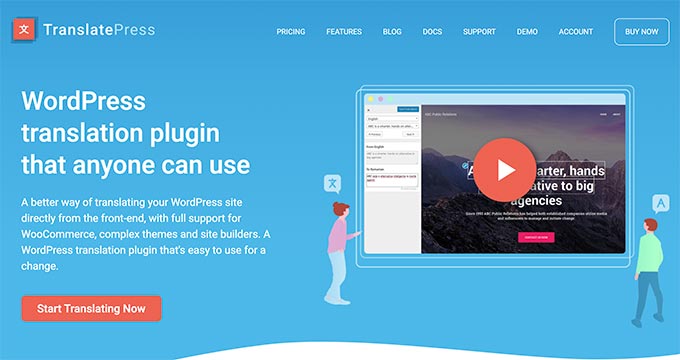
TranslatePress allows you to translate directly from the front end of your WordPress site. You can see the changes in real time as you work, making it simple for non-developers. It supports both manual translations and automatic translations through Google Translate or DeepL. It’s great for eCommerce stores, blogs, and agencies managing multiple languages.
Key Features:
- Visual translation interface for live editing
- SEO support for multilingual URLs
- Custom translator roles for team members
- Works well with WooCommerce and dynamic content
Pricing: Free version available. Premium plans start at €99 per year.
Why Choose TranslatePress: Ideal for users who prefer a visual editor and want a blend of automation with manual control.
WPML
WPML (WordPress Multilingual Plugin) is designed for large websites and online stores that need deep translation management. It supports manual and professional translations, integrates with WooCommerce, and handles complex site structures like custom post types and taxonomies. It also features translation memory and glossary tools to maintain consistency across pages.
Key Features:
- Advanced translation management system
- Integration with professional translation services
- Translation memory for faster workflows
- Compatible with page builders like Elementor and Divi
Pricing: Plans start at €39 per year with advanced plans available for eCommerce sites.
Why Choose WPML: Ideal for enterprise-level businesses that require full control and scalability.
Polylang

Polylang is a simple yet powerful multilingual plugin that lets you manually translate posts, pages, and categories. It integrates with WordPress SEO plugins and allows you to define languages for each piece of content. While it doesn’t offer built-in translation automation, it’s lightweight and performs well.
Key Features:
- Manual translation control
- Integration with SEO plugins like Yoast
- Easy-to-add language switcher widget
- Compatible with most WordPress themes
Pricing: Free version available. Pro version starts at €99 per year.
Why Choose Polylang: Great for bloggers or small websites that want simplicity and reliability without heavy automation.
GTranslate

GTranslate leverages the Google Translate API to instantly translate your site into over 100 languages. It’s quick to set up and allows users to switch languages using a floating selector. The paid version adds SEO features, custom URLs, and manual translation options for better control.
Key Features:
- Automatic translation in 100+ languages
- Browser language detection
- Language switcher widget
- SEO-friendly URLs (in premium plans)
Pricing: Free plan available. Premium plans start at $9.99 per month.
Why Choose GTranslate: Best for businesses that want instant global reach with minimal setup effort.
MultilingualPress

MultilingualPress is a unique plugin that uses WordPress multisite architecture to create a separate version of your site for each language. This setup ensures high performance and prevents conflicts between translations. It’s particularly useful for enterprises managing multiple regional sites.
Key Features:
- Uses WordPress multisite for language separation
- Improved performance with single-language loading
- Each site can have its own domain or subdomain
- Centralized translation management
Pricing: Starts at $99 per year per site license.
Why Choose MultilingualPress: Best for large organizations that want maximum control and performance across multilingual networks.
Loco Translate

Loco Translate focuses on theme and plugin translations rather than full content localization. It lets developers and site owners translate text strings directly within the WordPress dashboard. This makes it an essential tool for customizing plugins and themes that aren’t yet localized.
Key Features:
- Built-in translation editor
- Direct integration with WordPress dashboard
- PO and MO file management
- Works with theme and plugin language files
Pricing: Free plan available. Pro starts at $5.95 per month.
Why Choose Loco Translate: Perfect for developers or users who need to translate theme or plugin text quickly without leaving WordPress.
Multilanguage Translation

Multilanguage Translation is a beginner-friendly plugin that supports both LTR and RTL languages. It provides a clean interface to manually translate pages, posts, menus, and widgets. The plugin also includes a flag-based language switcher for easy navigation between versions.
Key Features:
- Manual translation of content and menus
- RTL support for Arabic, Hebrew, and more
- Pre-installed language options
- Simple flag-based switcher
Pricing: Free version available. Premium plan starts at $39 per year.
Why Choose Multilanguage Translation: A solid choice for small websites or businesses targeting multilingual audiences on a budget.
How Brandy Helps Maintain Brand Consistency Across Multilingual Websites

When building a multilingual WordPress website, maintaining a consistent brand identity across different languages can be challenging. Every translated page should reflect your brand’s tone, visuals, and message while adapting naturally to the audience’s preferred language. This is where Brandy becomes essential for managing multilingual content effectively.
Brandy acts as a unified hub for your brand’s visual and verbal identity. Whether you are using Weglot, TranslatePress, or WPML, your team can rely on Brandy to access the same logos, color codes, fonts, and messaging guidelines that shape your global identity. When professional translators or designers work on multiple languages, Brandy ensures everyone stays aligned with your brand story.
For agencies and teams creating multilingual WordPress websites, Brandy helps streamline workflows. You can store approved visuals, tone guides, and glossaries, allowing translators to manually translate or automatically translate pages without losing brand consistency. This becomes especially valuable when using popular WordPress translation plugins like GTranslate or the Google Language Translator plugin, where translated versions of your content appear instantly but still need quality and tone consistency.
By integrating Brandy into your translation process, you ensure that every version of your site, from English to Arabic, carries the same design DNA. Whether your team uses automatic translation or manual translation, Brandy keeps your translated content, language switcher styles, and imagery perfectly aligned. The result is a brand experience that feels native to every visitor while maintaining global recognition.
Final Takeaway
Creating a multilingual WordPress site opens up endless opportunities to reach global audiences and improve engagement. The best part is that you don’t need to rebuild your WordPress website from scratch, just choose the right translation plugin for WordPress that fits your goals. Tools like Weglot, TranslatePress, and WPML lead the list of the best WordPress multilingual plugins, while lightweight options such as Polylang, Loco Translate, and the Google Website Translator cater to smaller sites and blogs.
Each plugin offers unique translation features, from automatic translations and machine translation to manual translations handled by professional translators. If you’re looking for automation, the Google Language Translator plugin or GTranslate can help you automatically translate your content into different languages. For full control and SEO optimization, WPML and TranslatePress remain the top choices for multilingual SEO and complex content structures like custom post types and WordPress themes.
When done right, WordPress translation not only helps you reach a wider audience but also strengthens your brand reputation in search engines by producing properly indexed translated pages with language-specific URLs.
To maintain design harmony and consistent brand identity across multilingual sites, pair your translation setup with Brandy. This powerful tool keeps your logos, colors, and tone unified across all translated versions of your website. Whether your team works with manual translation or automatic translation, Brandy ensures your brand looks and sounds the same everywhere..

