
Social media teams move fast. They publish daily across multiple platforms, with different image sizes, formats, and brand requirements for each.
The problem is not a lack of content. It is a lack of organization. When assets are scattered across drives, desktops, and Slack threads, the team spends more time hunting for files than actually creating. Brand consistency slips. Outdated assets end up in published posts. And every new campaign starts with the same scramble.
A digital asset management platform solves that. Here is how it works and what your social team actually gains from using one.
What are Social Media Assets?
Social media assets are any digital files used to build and maintain a brand’s presence across social platforms. This includes images, videos, graphics, animations, story templates, infographics, user-generated content, and branded post templates.
Each asset type serves a different purpose and requires different specifications depending on the platform. A LinkedIn banner is not the same dimensions as an Instagram story. A TikTok video has different requirements than a YouTube thumbnail. Managing those variations manually across multiple campaigns and channels is where most social teams waste time.
Social media assets also have a lifecycle. They are created, approved, published, repurposed, and eventually retired. Without a system to track that lifecycle, outdated or unapproved versions keep circulating long after they should have been replaced.
Why Social Teams Outgrow Shared Folders Fast?
Most social media teams start with a shared Google Drive folder or a Dropbox. It works when the team is small and the asset volume is low.
As the brand grows and content output increases, the cracks show quickly.
The Search Problem Gets Worse With Every New Asset
When you need an image for a social post immediately, the last thing you want to do is search through a folder labyrinth full of images named IMG_4552 and IMG_4553. Finding the right file in a growing, unstructured folder system is not a workflow. It is a time tax the team pays every day.
Brand Standards Break Down Without Centralized Control
When assets are scattered, team members use whatever they can find. An old version of the logo. A graphic with the previous campaign tagline. A product image that was updated after a packaging change. None of this is intentional. It is what happens when there is no single source of approved, current assets.
Regional Teams Compound the Problem
If you work for a global company, chances are social media posts are being created by regional teams to support local efforts, which only compounds the volume of content. Without centralized governance, each regional team builds its own version of the brand. Consistency breaks down market by market.
What is Social Media Asset Management?
Social media asset management is the process of organizing, storing, governing, and distributing social media assets so every team member and partner can find the right file, in the right format, at the right time.
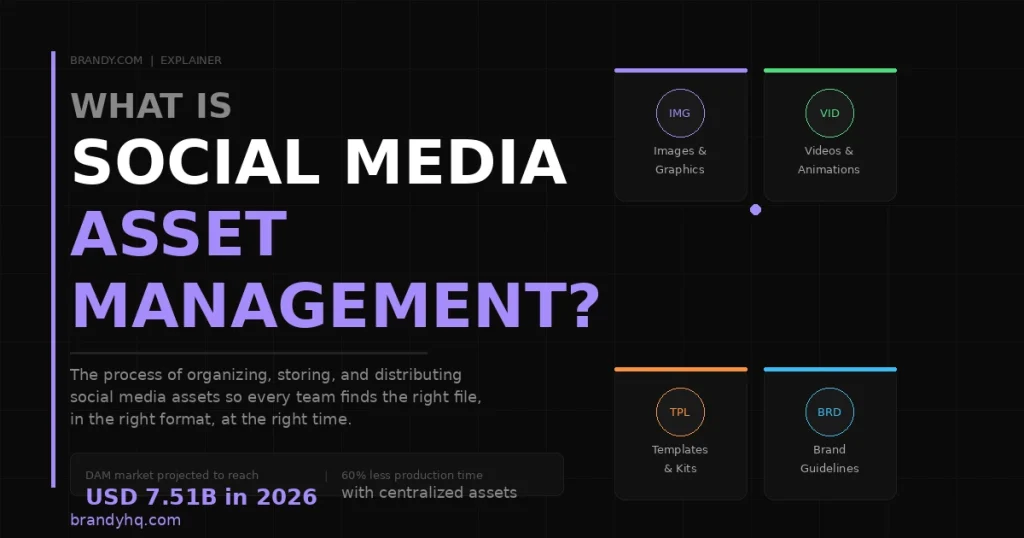
It covers how assets are named, tagged, categorized, versioned, and shared. A well-managed social asset library means no hunting, no improvising, and no outdated files making it into published content.
DAM systems not only store social media assets but also include metadata structures to make them easy to find, permissions to control access to certain files, and conversion tools to allow users to download files in the correct image size and format.
How a DAM Platform Solves Social Media Asset Management
A digital asset management platform is a centralized, governed hub for every brand asset a social team needs. Here is what it changes in practice.
Centralized Storage Replaces the Folder Maze
Every social asset, every template, every approved image and video, lives in one place. Teams can find the exact file they need exactly when they need it, without scrolling through folders or guessing filenames. Search by campaign, file type, format, date, or custom tag and land on the right asset in seconds.
Version Control Stops Outdated Files From Circulating
When an asset is updated, the new version becomes the default automatically. Old versions are archived, not deleted, so the history is preserved. But no one can accidentally download and publish a superseded file.
Permission-Based Access Controls: What Each Team Sees
Different teams need different assets. Your social media manager needs different access than your regional distributor or external agency. Role-based permissions control who can view, download, edit, and share each asset, and version control ensures everyone works with the latest approved file.
Format Conversion Saves Hours of Repetitive Work
Social platforms require specific dimensions and file types. A DAM with built-in conversion tools lets any team member resize and convert an asset for the right platform in seconds, without opening a design tool or asking the creative team for help.
Shareable Brand Kits Streamline Partner and Agency Distribution
Instead of emailing file attachments to external partners, you share a single link to a curated brand kit containing everything they need: approved assets, brand guidelines, and templates. When any of those files are updated, the link automatically reflects the change.
Best Practices for Managing Social Media Assets With a DAM
Managing social media assets with a DAM helps teams keep content organized, maintain brand consistency, and speed up campaign execution. Follow these best practices to streamline collaboration, improve asset discoverability, and ensure everyone uses approved content across every channel.
Build a Clear Taxonomy Before You Migrate
Organize assets by campaign, channel, content type, and date before uploading everything into the platform. A well-structured taxonomy speeds up search and reduces the need for manual tagging later.
Use Branded Templates for Consistent Social Output
Branded templates can help you create visually unique posts without a designer. Work with your design team to create both a horizontal and square template, then plug in photography from your photo library for any given situation. Templates built within a DAM ensure every team member works from an on-brand starting point.
Tag Assets at Upload, Not Retroactively
The biggest mistake teams make with DAM adoption is uploading assets without metadata and planning to tag them later. Later never comes. Set a tagging standard before the first upload and apply it consistently from day one.
Archive, Do Not Delete
When assets are retired, archive them rather than deleting them. This preserves the history for compliance and legal purposes while ensuring current assets stay front and center in search results.
Connect Your DAM to Your Social Media Management Tool
Integrating your marketing technology stack connects data from multiple systems, making it easier to deliver a consistent brand experience. Making your brand-approved social media assets available within your social media management tool not only keeps information consistent but also streamlines the production process by keeping teams working in a single system.
How Brandy Supports Social Media Asset Management?
Brandy is built for brand and marketing teams that need a single, organized, always-current home for every social media asset they create.

What Brandy gives social media teams:
- Brand spaces are organized by campaign, platform, or market, so every asset is where it belongs
- Shareable brand kits that give social managers, regional teams, and agencies exactly what they need in one link that always reflects the current version
- Version snapshotting so current assets stay front and center, and outdated files are auto-archived
- Advanced tagging and metadata so anyone can find the right asset in seconds without searching through folders
- Support for 30-plus file formats with built-in file conversion, so assets are always ready for the platform that needs them
- Permission-based access, so each team, region, or partner sees only what is relevant to them
- SOC 2 Type II compliance for enterprise-grade security across the entire asset library
- No per-seat pricing, making it practical for teams with large networks of regional contributors and external partners
When your social team knows exactly where approved assets live and can find the right file in seconds, they spend less time managing files and more time creating the content that actually moves the brand forward.
Social Media Asset Management: Quick Reference
What is a social media asset? Any digital file used to build a brand’s presence on social platforms, including images, videos, templates, graphics, animations, and user-generated content.
What is social media asset management? The process of organizing, storing, governing, and distributing social media assets so every team member can find the right file in the right format at the right time.
When does a team need a DAM for social media? When asset volume grows beyond what shared folders can handle, when multiple teams or regions are creating content, or when brand inconsistency becomes a visible problem in published content.
What is the difference between a DAM and a shared folder? Cloud storage tools are designed for general file sharing, not brand asset management. They lack metadata-powered search, version-controlled distribution, permission-based governance, and integration with marketing and commerce systems.
The Bottom Line
A social media team without a centralized asset management system is spending time it does not have on problems it should not have.
The right DAM platform turns a scattered library into a searchable, governed, always-current hub. Every team member, region, and partner works from the same approved assets. Brand consistency stops being a manual check and becomes a structural outcome.
Brandy is built to make that happen for teams of any size. Start for free at brandyhq.com.