
Video production has become a continuous process for modern teams. Marketing campaigns, product launches, internal updates, and customer education all rely on video to communicate clearly and quickly. As output increases, the challenge is no longer creativity. It is coordination.
Most delays in video production are not caused by a lack of ideas or talent. They happen when assets are scattered, feedback is unclear, and teams lose track of what is approved. Editors slow down. Producers chase responses. Stakeholders grow frustrated.
A well defined video production workflow removes these problems. It creates clarity around how work moves from planning to production to reuse without interrupting creative focus. This guide explains what a strong video production workflow looks like and how teams can build one that scales calmly and consistently.
What a Video Production Workflow Really Covers
A video production workflow is not limited to what happens in the edit suite. It defines how ideas move through planning, production, review, distribution, and long term storage. When these stages are connected, teams work with clarity instead of reacting to problems as they arise.
More Than Filming and Editing
A video production workflow includes everything that happens before, during, and after editing. It starts with planning and continues through production, review, distribution, and long term storage.
When teams only focus on filming and editing, important steps are ignored. Planning documents go missing. Feedback arrives too late. Finished videos are hard to find later. A complete workflow connects every stage into one continuous system.
Why Teams Struggle without a Defined Flow
Without a workflow, work happens in silos. Planning files live in one place. Raw footage sits on local drives. Feedback arrives through email and chat. Final videos get uploaded and forgotten.
Each tool works on its own, but the handoffs between them cause delays. Teams spend time searching, confirming versions, and repeating work. Over time, this leads to missed deadlines and rising frustration.
The Difference Between Activity and Progress
Busy teams are not always productive teams. When workflows are unclear, effort increases while results slow down. A defined workflow turns effort into progress by reducing uncertainty and unnecessary work.
Different Phases of Video Production Workflow

A video production workflow moves content from planning to long term reuse through a series of connected phases. Each phase builds on the previous one, helping teams stay organized, efficient, and focused.
Laying the Groundwork Before Any Footage Is Captured
Strong video workflows begin long before the camera starts rolling. Clear planning and shared direction at this stage prevent confusion later and set the foundation for smooth production.
Clarifying purpose before production begins
Strong workflows start with clarity. Teams need to agree on who the video is for, what action it should encourage, and how success will be measured.
Without this alignment, creative decisions become subjective. Revisions increase. Projects drift away from their original goal. Clear purpose keeps production focused and efficient.
Turning ideas into production ready direction
Ideas need structure before cameras roll. Scripts, shot lists, and visual references should be finalized early. Vague direction leads to missing shots, excess footage, and costly rework later.
Production teams work best when expectations are clear. Locking creative direction early protects timelines and budgets.
Keeping planning materials accessible to everyone
Planning documents should live in a shared and organized space. Budgets, timelines, references, and key contacts must be easy to find.
When documents are scattered, teams risk working from outdated information. Centralized planning keeps everyone aligned and prevents avoidable confusion.
Capturing and Handling Footage Without Slowing the Team
Production generates large volumes of footage that must be handled with care and speed. A clear approach to ingest and early access keeps teams moving forward without delays or data risk.
Why production creates the biggest data surge
Modern cameras generate massive file sizes. High resolution footage quickly adds up, especially during long shoots.
Without a clear ingest process, footage becomes difficult to manage. Upload delays slow down post production and increase risk.
Ingesting footage as part of the workflow
Footage should be transferred, verified, and backed up as soon as it is captured. Treating ingest as part of production protects data and saves time later.
Early ingest ensures editors receive organized files instead of a last minute data dump.
Giving teams early visibility into raw footage
Lightweight preview files allow teams to review footage while production is still active. Producers and stakeholders can validate shots remotely and identify issues early.
This visibility reduces the risk of reshoots and helps teams stay confident in the material being captured.
Organizing Video Assets So Editors Can Focus on Storytelling
Editors work best when assets are easy to find and understand. Organizing video files with clear structure and context removes friction, allowing creative energy to stay focused on storytelling.
Reducing friction inside the edit
Editors lose momentum when they have to search for clips or confirm versions. Every interruption breaks creative flow.
When footage is poorly organized, simple tasks take longer than they should. Over time, these delays add up.
Using metadata to make footage usable
Metadata transforms raw footage into usable assets. Transcriptions make dialogue searchable. Visual recognition helps identify scenes. Descriptive tags provide context beyond filenames.
With strong metadata, editors can find what they need quickly and make better creative decisions.
Keeping versions clean and understandable
Clear naming conventions and version control prevent mistakes. Editors should always know which cut is current and approved.
Structured versioning protects timelines and reduces stress across the team.
Making Reviews Faster and Feedback Clearer
Clear review processes keep video projects moving without unnecessary delays. Centralized feedback and defined approvals reduce confusion, limit revisions, and help teams reach final decisions faster.
Why review cycles often break timelines
Review stages slow down when feedback is vague or scattered. Comments arrive through different channels and lack context.
Editors waste time reconciling notes instead of improving the video.
Bringing feedback directly to the video
Centralized review environments allow comments to be tied directly to specific frames. Time stamped feedback removes guesswork and keeps everyone aligned.
When all stakeholders see the same comments, confusion disappears.
Maintaining momentum during approvals
Not everyone needs to review every cut. Limiting reviewers and defining approval ownership prevents endless revision cycles.
Clear visibility into review status helps teams move forward without constant follow ups.
Preparing Videos for Distribution and Long Term Value
Publishing a video is not the end of its lifecycle. How content is prepared, distributed, and stored determines whether it remains a one time deliverable or becomes a long term asset.
Publishing across platforms without duplication
Most videos need multiple formats for different platforms. Creating variations from a single master file saves time and ensures consistency.
Re-editing for each platform wastes resources and increases risk of errors.
Adding context that survives beyond launch
Finished videos need context to remain useful. Usage rights, campaign details, and ownership should be documented.
Without this information, teams hesitate to reuse content or risk compliance issues.
Storing video so it stays usable in the future
Secure archiving combined with searchable metadata keeps content accessible long after launch.
A well maintained archive turns past work into future value.
What Strong Video Workflows Have in Common
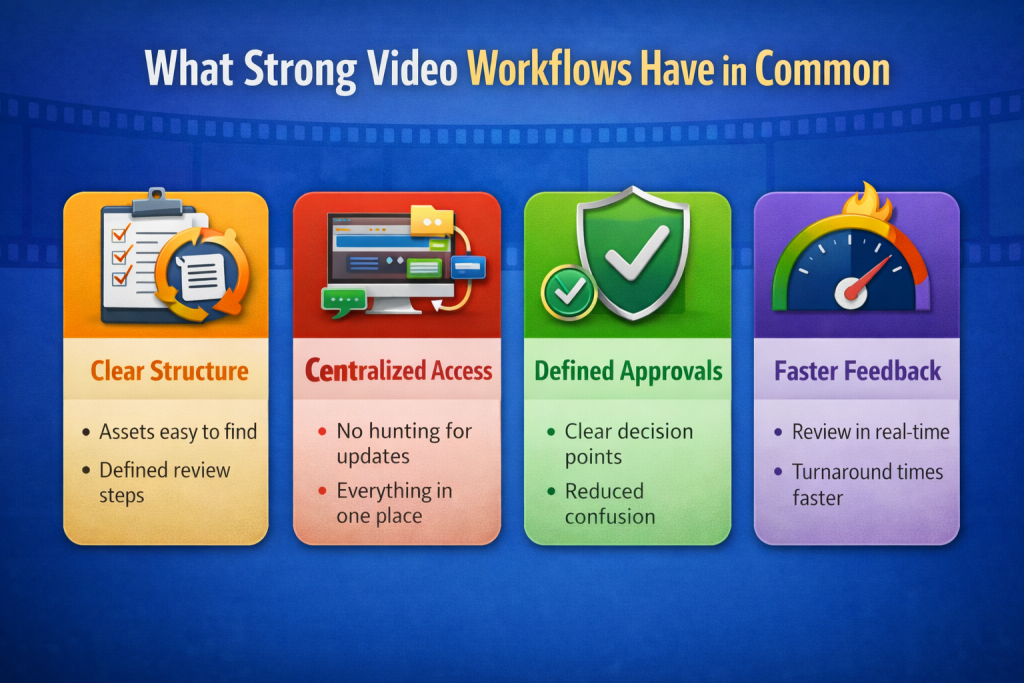
Well run video teams rarely succeed because they work faster or harder. They succeed because their workflows remove uncertainty at every stage of production. While tools and team sizes vary, strong video workflows consistently share a few foundational traits that make creative work smoother and more predictable.
Centralized Access to Assets
Strong workflows rely on a single, trusted place for video files and supporting materials. Raw footage, edits, previews, and final exports are stored together instead of spread across personal drives or shared folders.
This central access eliminates confusion, prevents duplicated uploads, and ensures every team member knows exactly where to find the most current assets.
Clear Approval Paths
Effective video workflows remove guesswork around decision making. Teams define who reviews each stage, who provides input, and who gives final approval before production begins.
When approval paths are clear, projects move forward with confidence. Editors spend less time waiting for direction, and stakeholders avoid last minute changes that disrupt timelines.
Searchable and Reusable Content
Strong workflows treat video assets as long term resources, not one time deliverables. Footage and final videos are enriched with metadata such as descriptions, keywords, usage rights, and campaign context.
This structure makes content easy to find months later and encourages reuse across new campaigns instead of unnecessary re creation.
Systems that Support Creativity
The best workflows do not slow creative teams down. They operate quietly in the background, handling organization, access, and governance without interrupting the creative process.
Platforms like Brandy help teams maintain order and consistency while giving creators the freedom to focus on storytelling. When systems work this way, workflows feel supportive rather than restrictive.
Closing Thoughts
Video production workflows are not about adding control or unnecessary layers. Their real purpose is to remove friction so creative teams can focus on what they do best. When structure is clear, creativity has room to breathe.
When teams know exactly where assets live, how feedback is shared, and what is approved, projects move forward with confidence instead of hesitation. Editors spend less time searching and more time shaping stories. Producers stop chasing updates and start guiding the process. Stakeholders gain visibility without slowing progress.
The strongest workflows often go unnoticed. They operate quietly in the background, supporting collaboration without interrupting momentum. Over time, this clarity builds trust, consistency, and long term value across every video produced.
When video production shifts from a reactive scramble to a dependable system, teams gain more than efficiency. They gain the freedom to create work that truly connects.