
Asset Properties: Add Context to Every Asset
Brandy’s Asset Properties feature lets you add meaningful details to each asset—making your brand space easier to navigate, manage, and understand at a glance.
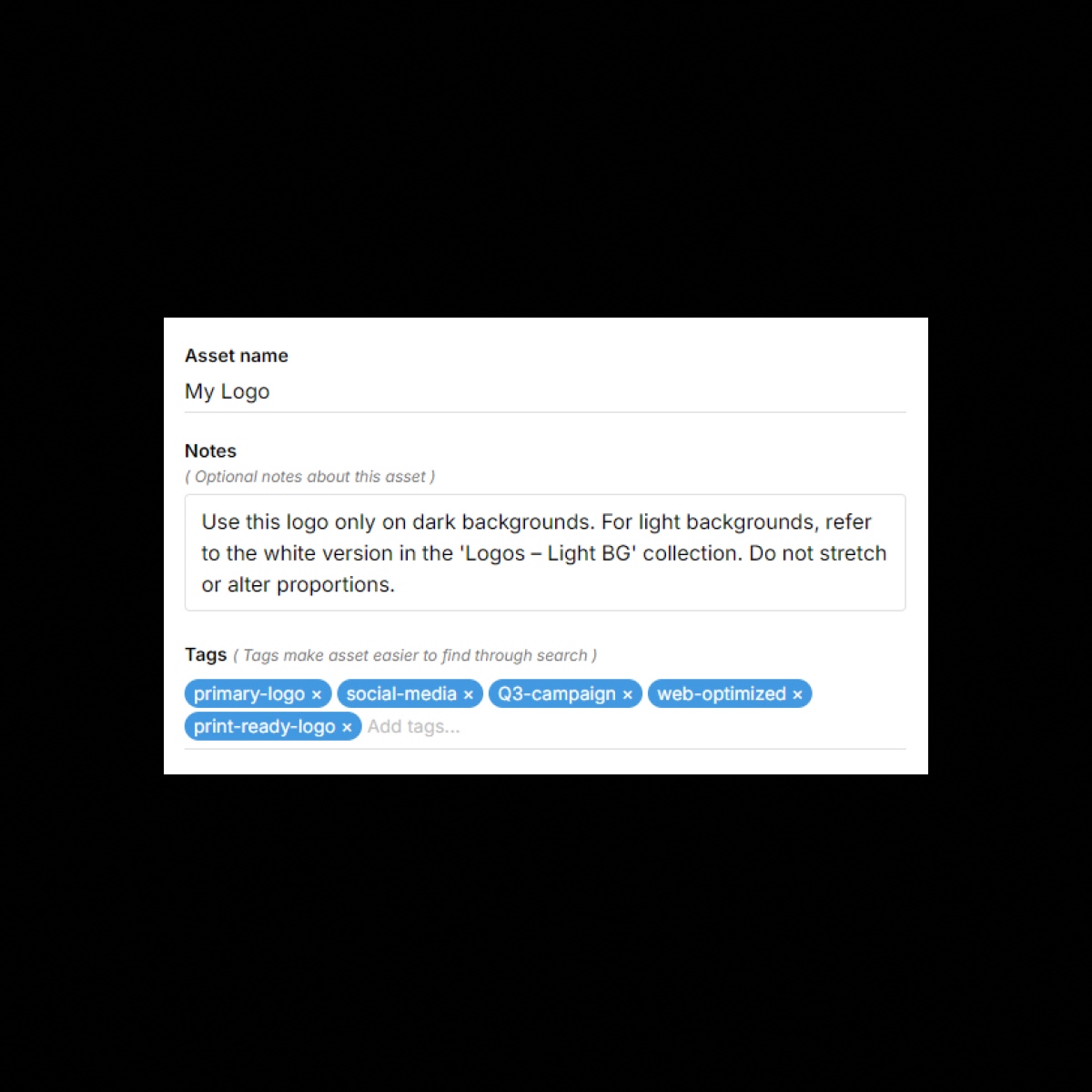
The Benefits
Unlock the full benefits of this feature.
01
Tags for Smarter Search
Apply custom tags to assets to make them easier to find using Brandy’s powerful search.
02
Add Notes for Clarity
Attach optional notes to any asset to provide context, instructions, or usage guidance—visible on the asset card if toggled on.
03
Detailed Asset Info
Get quick access to file details like upload date, format, size, and dimensions—all in one place.
The Impact
Every Asset, Fully Documented
With Asset Properties, your team has everything they need to understand, use, and search for assets—without guessing or digging.
Common Use Cases
Brands
Add notes for logo usage or color codes to avoid confusion and ensure proper use across teams.
Agencies
Tag and document files to help clients understand what’s what—especially in large or multi-brand spaces.
Marketing Teams
Attach campaign-specific instructions or references directly to assets for easier collaboration.
Enterprises
Maintain audit-friendly, reversible deletion workflows across large teams and departments.
Why Brandy?
Track asset versions, ownership, and usage notes to maintain consistent brand governance at scale.
Search-Optimized
Find what you need faster with tags that enhance Brandy’s built-in search engine.
Smarter Collaboration
Leave notes directly on assets so everyone’s on the same page—without endless Slack threads.
All-in-One Details
See everything from file size to dimensions in one clean, readable view.
Customizable Views
Toggle notes and tags on or off in asset cards to control what’s shown during editing or sharing.