
Craft Visually with WYSIWYG Text Blocks
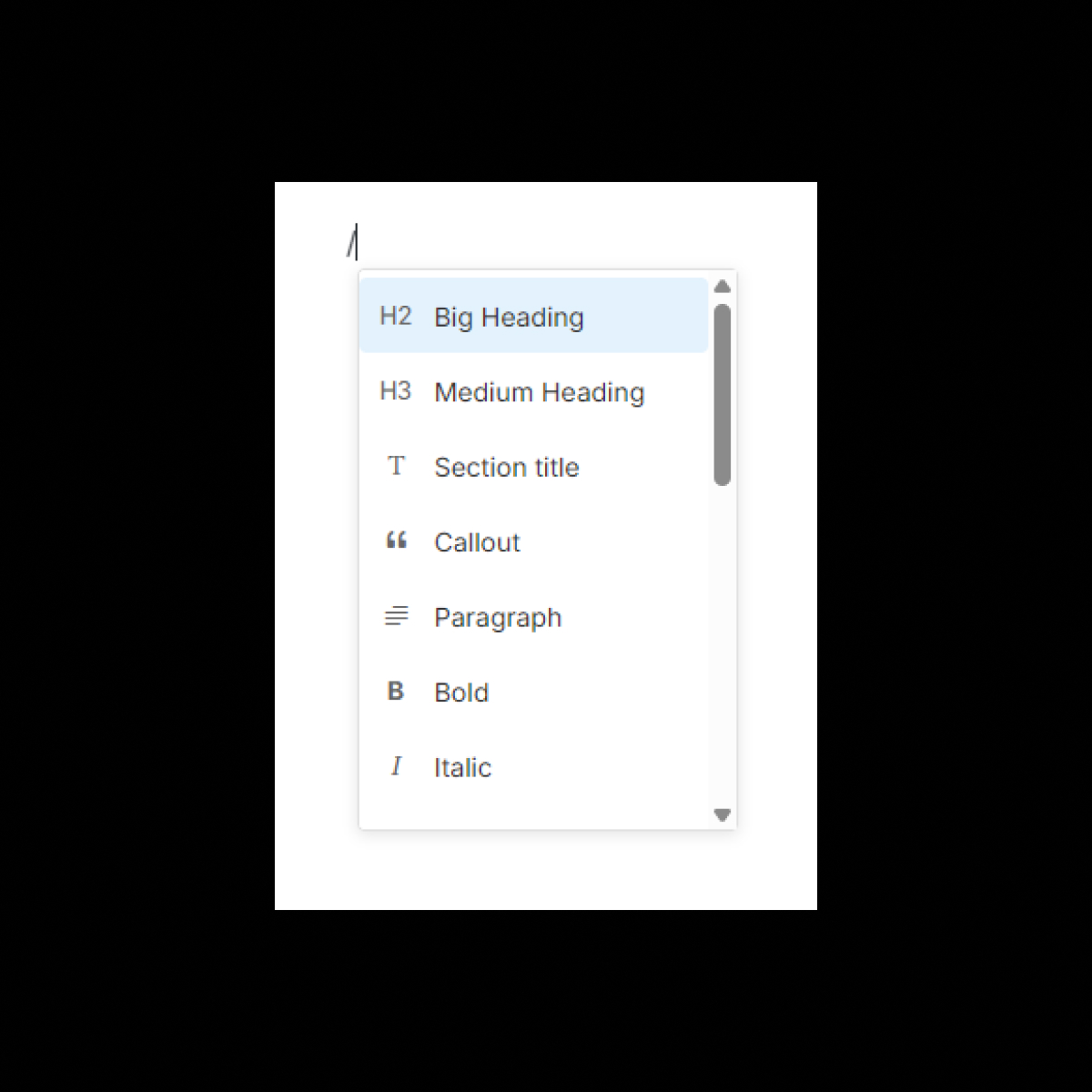
Brandy’s WYSIWYG (What You See Is What You Get) Text Block empowers you to create richly formatted content directly within your brand spaces. Design brand guidelines, instructions, or documentation with intuitive visual tools—no coding required. Ideal for teams seeking clarity, consistency, and seamless collaboration alongside their brand assets.
The Benefits
Unlock the full benefits of this feature.
01
Intuitive Visual Editing
Format text effortlessly using a familiar toolbar—apply headings, lists, links, and more with just a few clicks. Focus on your content without the need to remember syntax.
02
Enhanced Context for Assets
Add descriptions, guidelines, or notes alongside brand assets to provide essential context for teams and collaborators. Ensure everyone understands the usage and standards.
03
Ideal for Documentation
Create organized brand guidelines, detailed instructions, or technical documentation directly within your brand space. Maintain consistency and professionalism across all materials.
The Impact
Bring structure and clarity to your brand spaces.
With Brandy’s WYSIWYG Text Block, you can easily format content, provide clear context, and keep your brand spaces well-documented and organized.
Common Use Cases
Brands
Add descriptions, notes, and context for brand assets like logos, color palettes, or typography to ensure clear usage.
Agencies
Document project guidelines or provide detailed instructions for clients using clean, structured formatting.
Marketing Teams
Create campaign briefs, visual descriptions, and annotations alongside assets for clear communication.
Enterprises
Centralize technical documentation, guidelines, or detailed instructions within your brand spaces for global teams.
Why Brandy?
Brandy’s WYSIWYG Text Block simplifies the process of adding structured, rich content alongside your brand assets. With an intuitive visual editor, you can ensure all your content is clean, well-formatted, and professional, featuring headings, lists, tables, and links. Ideal for teams and stakeholders, it streamlines collaboration, enhances efficiency, and helps maintain consistency in documenting and communicating your brand’s vision and standards across every project.
Easy-to-Use Visual Editor
Easily create formatted text, tables, links, and more with a user-friendly interface for clean, professional documentation. Create visually appealing, structured content with headings, bullet points, and embedded links, all while maintaining consistency and clarity. Perfect for teams looking to streamline workflows, collaborate effectively, and present polished, organized information without complexity.
Provide Context for Assets
Explain usage rules, provide detailed notes, or add clear instructions seamlessly alongside logos, visuals, and brand guidelines. Enhance your documentation by combining text and imagery to offer comprehensive guidance, ensuring teams and stakeholders understand and adhere to brand standards. Perfect for maintaining consistency and clarity in every aspect of your brand’s identity.
Rich Text Capabilities
Create structured and formatted content effortlessly, including lists, headings, quotes, and code snippets, to document guidelines with a professional touch. Perfect for crafting clear, organized, and visually appealing documentation that enhances team collaboration and ensures consistent communication across projects.
Perfect for Guidelines and Documentation
Effortlessly combine visuals and rich content to create clean, professional documentation that aligns teams and engages stakeholders. Streamline collaboration with a seamless integration of text, imagery, and formatting, ensuring your documentation is both impactful and easy to navigate.