

A digital asset management workflow helps organizations efficiently manage their digital assets from creation to deletion. In this article, you’ll learn how a well-structured DAM workflow can streamline processes, automate repetitive tasks, and ensure easy retrieval of assets. We’ll also discuss the key elements and benefits of implementing a DAM workflow.
Key Takeaways
- Digital Asset Management (DAM) workflows streamline project coordination and enhance the management of digital assets throughout their lifecycle.
- Key components of effective DAM workflows include a centralized media library, robust metadata tagging, and defined approval processes to ensure accessibility and brand consistency.
- Implementing DAM workflows improves collaboration, productivity, and organization by automating repetitive tasks, balancing manual and automated processes, and ensuring clear communication among team members.
Understanding Digital Asset Management Workflows

A digital asset management workflow involves a sequence of tasks aimed at achieving specific goals related to digital assets. These workflows maintain organized content libraries and ensure consistent brand images. They assist teams in managing and tracking content creation, project coordination, and the overall asset lifecycle, from creation to deletion.
The main goal of digital asset management workflows is to help organizations effectively produce and manage their digital assets. Streamlining the process aids in project management, ensuring no steps are missed and all tasks are completed efficiently. For instance, project-based workflows manage digital assets specific to individual projects, enhancing efficiency and oversight throughout the project lifecycle.
✨ Read More: Best Free Digital Asset Management Software
Additionally, DAM workflows automate processes for handling digital assets, improving project coordination and reducing the risk of errors. Implementing these workflows ensures that digital assets remain up-to-date and easily accessible, leading to more seamless operations and better overall asset management.
Key Elements of a Successful DAM Workflow
Key elements for effective digital asset management workflows include a centralized media library, metadata tagging, and approval processes. Each component ensures that digital assets are well-organized, easily retrievable, and consistently meet quality and branding standards.
Centralized Media Library
A centralized media library is essential for any successful digital asset management system. Providing a single repository for all digital assets minimizes the risk of misplacement and ensures organized storage. This approach eliminates redundancy, reduces costs associated with recreating lost materials, and ensures stakeholders can access the most current versions of digital assets in a centralized location.
Examples like Bates College and Applegate illustrate the benefits of centralized media libraries. Bates College has streamlined its storytelling project using a visual media library where images are uploaded and tagged with metadata for easy access.
Similarly, Applegate’s visual media library organizes visual content, making it readily searchable and accessible for various digital communication needs. Overall, a centralized system for digital assets enhances collaboration and helps maintain brand integrity by ensuring that all contributors have access to the same high-quality and on-brand materials.
⚡ How Brandy Simplifies Workflows
An effective digital asset management workflow requires more than just a storage solution—it demands a tool that streamlines access, enhances collaboration, and empowers teams to work smarter, not harder. That’s where Brandy, a modern brand asset management tool, steps in.
Imagine having all your brand guidelines—logos, fonts, colors, and icons—beautifully organized and accessible in one place. With Brandy, you can share these assets via a single, stunning link, making it easy for everyone, from teammates to external partners, to stay on-brand.

Key Features that Make Brandy Stand Out
Brandy isn’t just a tool; it’s a game-changer for marketers, designers, and teams managing brand assets. Here’s why:
- Shareable Brand Guidelines: No more emailing logos or explaining fonts. With Brandy, share an elegant link that includes everything from logos to icons, ready to use.
- Effortless Organization: Brandy supports 30+ file formats, ensuring your assets are stored and accessible without format compatibility issues.
- Built-in File Conversion: Need a PNG instead of a JPEG? Brandy’s built-in file conversion feature saves time and effort.
- Tagging and Metadata: Quickly locate the right asset with advanced tagging and metadata capabilities. Say goodbye to endless folder digging.
- Private and White-Label Brand Spaces: Manage sensitive brand assets securely with private spaces or deliver a polished experience to external collaborators with white-label options.
- Collaboration Made Simple: Teams can work together seamlessly on Brandy with features like real-time comments and easy asset sharing.
- Bento Layouts: Create visually appealing layouts to showcase your assets, ensuring everything looks professional and on-brand.
- Import from URL: Simplify your workflow by importing assets directly from URLs, saving you valuable time.
Why Brandy Is Perfect for Marketers
For marketers, Brandy is a lifeline. It reduces dependence on design teams by making brand assets universally accessible and easy to use. Whether you’re launching a campaign, onboarding a new partner, or refreshing your website, Brandy ensures that your brand’s visual identity is consistent and effortless to maintain.
Free Forever—And Backed by the Best
Brandy’s Free Forever plan means you can enjoy its core features without worrying about costs. As a tool backed by the Adobe Fund for Design and the WPBeginner Growth Fund, you can trust its reliability and innovation to grow alongside your business.
Ready to Transform Your Workflow?
It’s time to say goodbye to scattered assets and tedious processes. With Brandy, you’ll simplify your workflow, empower your team, and take your brand management to the next level—all while saving time and effort.
👉 Sign up for Brandy today and experience the future of brand asset management.
Metadata Tagging
A clear metadata and taxonomy structure is vital for categorizing and retrieving digital assets within a DAM system. Consistent standards for storing and tagging assets alleviate issues with locating digital assets, making them easily searchable. Regularly updating administrative metadata enhances the searchability of assets within the DAM workflow.
The goal of creating a taxonomy structure is to make every asset easily searchable. Automatic metadata tagging assists in this process by extracting data from the asset and creating searchable metadata.
AI-driven auto-tagging technology enhances this process, ensuring metadata tagging is both accurate and efficient. Effective metadata tagging is a cornerstone of any successful digital asset management workflow, ensuring assets are organized and easily retrievable.
Approval Processes
The approval process in digital asset management is crucial for reviewing and approving content before it moves to the next phase. A selection and approval workflow enhances efficiency by automating notifications and speeding up the review process. Approval-centric tags streamline the review process by clearly indicating the status of assets during their journey through approval.
Automated triggers in a DAM system’s workflow notify users when a task is completed, ensuring a seamless transition between stages. Once content is approved, it triggers the next steps, such as publishing.
✨ Learn More: Key Difference Between Marketing and Brand Management
Assigning ownership to each stage in a digital workflow prevents orphaned stages that can disrupt operations. Team members with approval permissions can make comments, request edits, and approve assets, facilitating effective communication and collaboration.
Why Your DAM Workflow Needs to Be Scalable
As your organization grows, so does your media library. A DAM workflow that works for a small team may quickly become inefficient as your business scales. That’s why scalability should be a foundational principle when designing your digital asset management strategy.
- Flexible user permissions ensure that as your team grows, roles and access levels evolve without compromising security.
- Storage scalability allows your platform to handle thousands—or millions—of media files without slowing down performance.
- Workflow automation should evolve with your asset volume, reducing manual intervention as content demands increase.
Brandy is built for scale—making it a perfect fit whether you’re just starting out or managing digital assets across departments and external partners.
Types of DAM Workflows
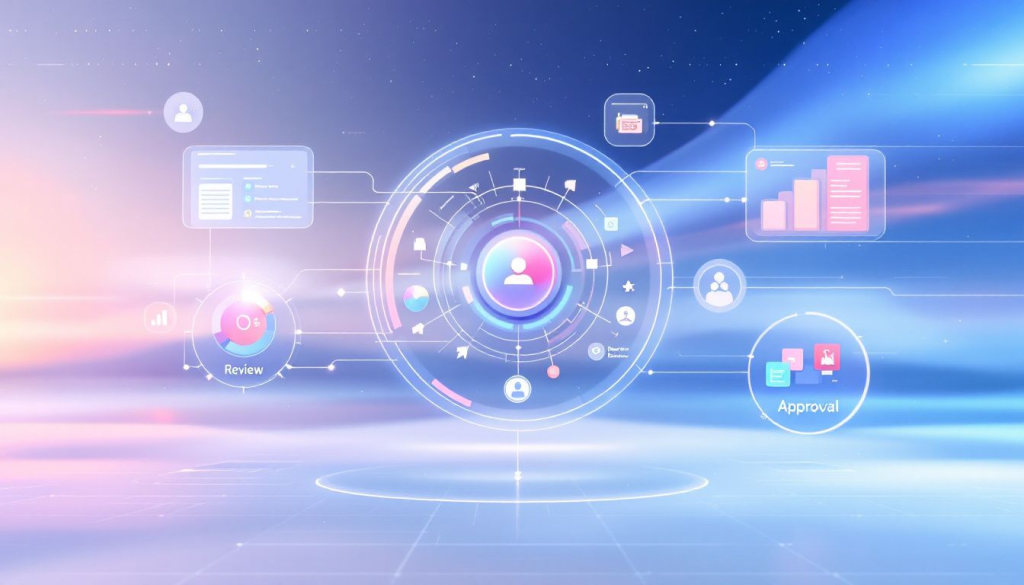
Common types of digital asset management workflows include Project-Based Workflows, Editorial Workflows, and Archival Workflows. The type of DAM workflow an organization utilizes is determined by factors such as the project, type of asset, and the stage in the content lifecycle. Each workflow type aligns with different stages of the digital asset lifecycle, ensuring assets are managed efficiently from creation to archiving or disposal.
Choosing the right DAM workflow optimizes the management of digital assets. Whether working on a specific project, creating and publishing editorial content, or archiving outdated assets, selecting the appropriate workflow enhances productivity and ensures all tasks are completed efficiently.
Project-Based Workflows
Project-based workflows in digital asset management focus on specific projects to ensure efficient management and completion. For example, the Adventure Travel Trade Association transitioned to a cloud-based DAM to store and manage all their visual content, aiding in a unified storytelling approach.
Focusing on the entire lifecycle of project-specific assets ensures that no steps are missed, and all tasks are completed efficiently.
Editorial Workflows
Editorial workflows streamline the steps involved in publishing visual content, facilitating the entire process of content creation, review, and publishing. Automation in publishing workflows includes tasks like resizing, reviewing, and sharing images with minimal manual intervention.
These workflows ensure content is delivered timely and accurately, enhancing the overall efficiency of the editorial process.
✨ Related: Understanding the Difference Between Digital Asset Management and Brand Asset Management
Archival Workflows
Digital assets may become outdated over time. To maintain a current system, they are either archived or deleted. Archival workflows are critical in managing all your digital assets, ensuring their longevity and accessibility.
Retrieving archived assets maintains access to historical digital content, making long-term storage considerations crucial for preserving digital assets effectively.
Benefits of Implementing DAM Workflows

Implementing workflows in digital asset management workflows and asset based workflows leads to easier management of digital assets and enhances organization, collaboration, and productivity. These workflows significantly increase productivity by automating repetitive tasks and improving efficiency in asset management.
They also foster collaboration by ensuring that teams can easily access and share digital assets. A centralized media library ensures that all digital assets are organized and easily accessible, enhancing management efficiency.
Enhanced Organization
A centralized media library serves as a single source of truth for all digital assets, ensuring easy access. Metadata plays a crucial role in improving the searchability of digital assets, with a well-structured metadata framework accelerating the search and retrieval process.
DAM workflows enhance organization by providing centralized storage and organizing assets by metadata and tags.
Improved Collaboration
Collaborative workflows in digital asset management enhance communication and ensure that team members are aligned with project goals. Digital asset management tools streamline processes for feedback and approvals, reducing manual tasks and fostering collaboration.
Cloud-based DAM platforms facilitate collaboration across different locations, allowing teams to work together seamlessly. Features such as comments, annotations, and approval workflows improve overall collaboration efficiency.
Increased Productivity
Digital Asset Management (DAM) workflows boost productivity by keeping tasks organized, simplifying management, and centralizing communication. Organizations like Special Olympics employ a digital asset management strategy to quickly upload and share thousands of assets during global events, reaching millions through targeted media placements.
DAM workflows assist organizations in balancing tasks by automating tedious tasks while leaving time for asset creation. Automation can streamline routine tasks like metadata tagging, file conversions, and distribution, ultimately saving time and reducing errors.
Consistent Branding
Workflows in digital asset management promote brand consistency by ensuring all creators use the latest approved content. The approval process in a DAM workflow ensures assets meet brand standards. Structured approval workflows help ensure digital assets adhere to brand standards before being utilized or distributed.
Integrating DAM systems with marketing technology ensures consistent access to content across various platforms used by teams.
DAM and Brand Consistency Go Hand-in-Hand
Inconsistent branding is one of the biggest threats to credibility, especially in multi-channel marketing. DAM workflows serve as a brand’s defense mechanism by ensuring brand guidelines are followed at every touchpoint.
- Enforce use of the correct logos, typefaces, and visual elements.
- Ensure marketing teams only access approved assets—no outdated files floating around.
- Build a visual audit trail for compliance, tracking who used what and when.
By maintaining strict asset approval rules and metadata tagging, Brandy helps you stay aligned with your brand voice and identity.
Tips for Optimizing Your DAM Workflow
Best practices for digital asset management include maintaining structured workflows and clear communication among team members. The first step in implementing a DAM workflow is to identify repetitive, tedious tasks that can be automated for efficiency.
Integrating DAM with content management systems, marketing automation platforms, CRM systems, and project management tools saves time and enhances overall efficiency.
Develop a Robust Metadata Strategy
A clear plan for metadata is vital as it plays a crucial role in asset searchability and management. Artificial intelligence and machine learning in DAM systems automate tasks like metadata tagging, enhancing efficiency.
Archival workflows ensure that digital assets remain accessible and retrievable over time, often including metadata management for easier searchability. Understanding the types and volumes of digital assets your organization has is crucial for selecting a suitable DAM solution.
Implement Version Control Systems
Implementing version control in digital asset management workflows prevents confusion and ensures access to the latest versions of digital assets. Version control systems allow teams to track an asset’s changes over time, preventing confusion about the latest versions.
This ensures users access the correct files and maintain consistency throughout the asset lifecycle.
Automate Repetitive Tasks
Automation tools handle routine tasks like file conversions, freeing up time for creative processes. Utilizing AI and machine learning in DAM systems automates processes such as metadata tagging, enhancing operational efficiency.
Automating repetitive tasks in digital asset management enhances workflow efficiency, reduces manual effort, and minimizes errors, leading to faster project completions.
Overcoming Common DAM Workflow Challenges
Transitioning to a Digital Asset Management (DAM) system often faces resistance from employees accustomed to previous workflows. Despite the benefits associated with DAM workflows, challenges can arise if they are not created and followed correctly.
Common challenges include balancing manual and automated processes, ensuring team cooperation, and managing orphaned stages.
Balancing Manual and Automated Processes
Automation tools can significantly enhance efficiency by handling repetitive tasks in digital asset management workflows. Automating processes allows teams to focus on higher-level strategic work rather than getting bogged down with routine tasks.
However, manual processes are essential for tasks requiring critical thinking, creativity, and nuanced decision-making. Finding the right mix involves evaluating which tasks can be automated without sacrificing quality and which require a human touch. Regularly assessing workflows and adjusting them based on team feedback and performance can help optimize this balance.
Ensuring Team Cooperation
Cooperation is crucial in a digital asset management workflow as it ensures project success by clarifying roles and responsibilities. Utilizing collaborative workflows and project management tools can enhance communication and ensure that all team members are aligned with project goals.
Clear communication and regular internal feedback help maintain team cooperation, leading to more efficient workflows.
Managing Orphaned Stages
Orphaned stages in a DAM workflow can hinder progress and lead to significant workflow interruptions. Assigning an owner to each stage in the digital workflow ensures accountability and maintains continuity.
Archival workflows focus on the systematic storage and retrieval of digital assets, ensuring that outdated content is either archived or securely deleted to maintain system order.
Summary
In conclusion, implementing effective digital asset management workflows is essential for enhancing organization, improving collaboration, increasing productivity, and ensuring consistent branding. By understanding the key elements, types of workflows, and strategies for optimization, organizations can create seamless and efficient DAM workflows. Choosing the right DAM software and overcoming common challenges will further enhance the effectiveness of these workflows. Embrace the power of DAM workflows to transform your digital asset management processes and drive your organization towards success.
Frequently Asked Questions
What is the difference between ECM and digital asset management?
The primary difference lies in their focus: Digital Asset Management (DAM) is designed for creating and collaborating on digital content across various channels, while Enterprise Content Management (ECM) emphasizes managing the entire business workflow of your organization. Thus, choose DAM for asset-related projects and ECM for broader content governance.
What is the digital asset management process flow?
The digital asset management process flow involves the lifecycle of a digital asset from ingestion to distribution and archiving. Workflows facilitate the sharing and distribution of assets, which can be triggered automatically through metadata or manually by users.
What is a digital asset management workflow?
A digital asset management workflow is crucial for efficiently organizing and managing digital assets through a structured sequence of tasks. This approach helps ensure that assets are easily accessible and effectively utilized.
Why is metadata tagging important in DAM workflows?
Metadata tagging is essential in DAM workflows as it facilitates the organization and retrieval of digital assets, significantly improving searchability and management efficiency. Clear tagging ensures that assets can be easily found and utilized, streamlining workflows.
How do approval processes enhance DAM workflows?
Approval processes enhance DAM workflows by ensuring content is meticulously reviewed and approved, which streamlines the review process and upholds quality control. This ultimately leads to more efficient and reliable content management.

