

Creating a strong brand identity starts with a memorable logo. Your logo design tells the world who you are, what your business stands for, and why people should remember you. But not every small business or startup can afford a professional designer to create a custom logo from scratch. That’s where free logo makers come in.
A free logo maker gives you the power to design your own logo in just a few clicks without needing advanced design skills. These online logo maker platforms combine AI logo generators, smart templates, and easy editing tools so you can create a logo that matches your business name, industry, and style. You can experiment with fonts, colors, icons, and logo templates until you find the perfect logo that represents your professional brand.
Many of these tools allow you to download high resolution files like vector files, PNGs, or JPGs suitable for your website, social media posts, or business cards. Some even let you build a brand kit so you can maintain consistency across all your visuals.
In this guide, we’ll explore the best free logo makers you can use today to design a professional logo that looks great everywhere, from your site header to your next marketing campaign.
How to Choose the Right Free Logo Maker
Before you start creating your new logo, it’s important to choose the right logo maker that fits your needs. Every free logo generator has its own strengths, from AI-generated logos to complete brand kits. Think about what matters most for your business logo, whether it is creative freedom, simplicity, or quick results.
If you’re looking for user friendly tools that help you make a logo in a few clicks, pick platforms that offer pre-made templates and customization options. If you want more control, go for tools that allow you to edit colors, add text, change fonts, and adjust layouts.
Also, pay attention to file types and download options. The best online logo makers let you export your logo files in different formats like SVG for print and PNG for web use. By knowing what you need, you’ll be ready to start customizing your perfect logo confidently.
Best Free Logo Makers to Create a Professional Brand in 2025
Let’s explore some of the most popular free logo makers that allow you to design your business logo without hiring a professional designer. Each platform offers something unique, from AI logo generators that design with precision to creative editors that give you total control over your logo creation process.
1. Canva Free Logo Maker

Best for: Beginners and small businesses that want full creative freedom
Canva makes logo design effortless. You can start from thousands of logo templates and customize every detail, including fonts, colors, icons, and shapes. The interface is intuitive, letting you create a logo for your website, social media posts, or business cards with ease.
Once you finish designing, you can download your logo in high resolution files, including PNG or JPG, completely free. Canva also provides tools for other visuals like brochures and posters, helping you keep a consistent brand identity across all materials.
Why it stands out: Canva combines a user friendly editor with a wide library of stock icons and color palettes. You can easily transform your business name into a professional-looking logo for your business in minutes.
2. Adobe Express Logo Maker

Best for: Users who want polished AI-generated logos
Adobe Express uses artificial intelligence to create logo options tailored to your industry, company, and brand style. Simply enter your business name and tagline, and you’ll see multiple beautiful logos ready to customize.
You can then tweak fonts, colors, and layouts or add shapes and icons for a more personal touch. The tool allows you to download your logo in vector files, ensuring your professional logo looks sharp in any size.
Why it stands out: Adobe Express brings Adobe’s quality to a free platform, giving creators professional-grade results without needing design skills.
3. Shopify Hatchful Logo Maker

Best for: Entrepreneurs who want quick logo creation
Hatchful by Shopify is one of the easiest free logo generators available online. You can create a logo in minutes by selecting your industry, visual style, and business name. The tool instantly generates multiple logo designs, allowing you to pick your favorite and start customizing.
It’s completely free to use, and after editing, you can download your logo pack, which includes files for websites, social media, and even business cards.
Why it stands out: Hatchful gives you everything you need to launch your new brand with ready to use logo files that look professional without spending a single dollar.
4. DesignEvo Free Logo Maker
Best for: Businesses looking for more control and customization
DesignEvo offers over 10,000 logo templates to kickstart your logo creation journey. You can choose icons, add shapes, change fonts, and even adjust the layout until you get the exact logo you want.
It supports vector downloads, ensuring your design is suitable for print or large-format use. You can make a logo that matches your personal brand or business website and export it easily in multiple formats.
Why it stands out: It’s ideal for users who like flexibility and prefer to fine-tune their logo design until it feels just right.
5. Ucraft Free Logo Maker
Best for: Quick, icon-based logo creation
Ucraft is perfect if you want to create a logo for free without signing up for subscriptions. You can choose from hundreds of icons, add your company name, and adjust colors or text placements.
The editor is drag and drop, making it easy to align elements or test different styles. Once ready, you can download your logo as an SVG file, which works perfectly for print or web use.
Why it stands out: It’s fast, fun, and requires no technical know-how to design an eye-catching business logo.
6. FreeLogoDesign.org
Best for: Small businesses and startups looking for simple solutions
FreeLogoDesign offers a straightforward process: enter your business name, pick a category, and the tool instantly generates logo options. You can edit fonts, icons, and colors until it reflects your brand identity.
It allows free downloads in PNG format, while high-resolution or vector files are available for a small fee.
Why it stands out: Ideal for new businesses that need a recognizable logo today without extra steps or complex tools.
7. Logomakr
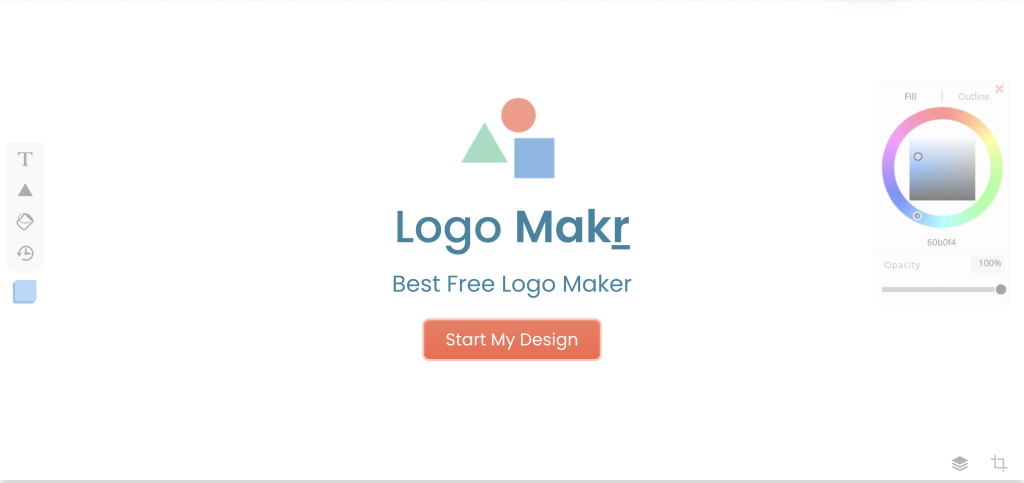
Best for: DIY users who enjoy custom logo creation
Logomakr provides a canvas for creativity. You can drag elements, edit text, and combine icons, colors, and shapes to design your own logo from scratch. It’s an excellent choice if you want more control over your layout and styles.
Free downloads are available in lower resolution, while high resolution files for commercial use come at a small cost.
Why it stands out: It’s flexible, intuitive, and perfect for hands-on creators who want a tool that doesn’t limit their imagination.
8. Kittl

Best for: Designers who want a more creative experience
Kittl has recently gained popularity as a modern logo maker that feels like a design studio. It provides advanced font editing, layering, and color options that rival paid tools. You can even experiment with AI-generated logos to inspire your new logo ideas.
Why it stands out: Kittl bridges the gap between AI automation and human creativity, offering a balance between fast logo generation and professional-level design tools.
Comparison of the Top Free Logo Makers
Before choosing your free logo maker, it helps to compare what each one offers. Here’s a quick overview of the top options, their strengths, and what makes them stand out for different logo design needs.
| Logo Maker | Best For | Free Download Option | Notable Features | Limitations |
|---|---|---|---|---|
| Canva | Custom logo creation with templates | PNG, JPG | Drag and drop editing, brand kit, AI templates | Some advanced templates locked under Pro plan |
| Adobe Express | Polished AI logo generator | PNG | AI-powered logo ideas, easy editing | Requires signup for export |
| Shopify Hatchful | Quick logo for your business | Full pack | Instant branding kit, multiple styles | Limited font choices |
| DesignEvo | Deep customization | Low-res free, high-res paid | 10,000+ logo templates, editable icons | Vector file costs extra |
| Ucraft | Simple, icon-based logo creation | SVG | Free SVG files, quick setup | Limited fonts |
| FreeLogoDesign | Small business logo design | PNG | Easy logo generator, editable | Vector files paid |
| Logomakr | DIY custom logo | PNG | Freestyle editing, color and shape options | Watermark on free download |
| Kittl | Advanced logo design creativity | PNG | AI tools, pro design layout | May feel advanced for beginners |
When to Upgrade to Paid or Custom Logo Options
Free logo makers are fantastic for getting started, but there comes a time when you might outgrow them. As your business expands and your brand identity becomes more established, you’ll want a custom logo that’s designed specifically for you.
A free logo design may not always give you the high resolution files or vector formats needed for professional printing or large-scale marketing materials. For instance, if you plan to feature your business logo on banners, packaging, or store signage, you’ll need crisp EPS or SVG files that scale without losing quality. These formats are usually available in paid plans or through professional designers.
Another reason to upgrade is branding consistency. Paid versions often come with complete brand kits, including color palettes, typography guidelines, and usage rules, helping you maintain a cohesive image across platforms. You might also need exclusive ownership rights or trademark support, which most free tools do not offer.
A smart strategy is to begin your journey with a free logo maker, explore AI logo generators, and refine your vision. Once your brand starts to grow, hire a professional designer or upgrade to a paid plan to fine-tune your logo files and secure commercial rights. Think of it as an evolution from a quick logo for your business to a refined symbol of a professional brand.
How to Use Your Logo Across Platforms
Once you’ve created your perfect logo, the next step is to use it consistently across all platforms. Your business logo should appear anywhere your audience interacts with your brand, including your website, social media posts, email signatures, business cards, and even merchandise like tote bags or mugs.
Start by preparing multiple versions of your logo design. You’ll want a horizontal layout for website headers, a stacked version for profile pictures or mobile screens, and an icon-only version for favicons or app icons. Having these variations ensures your logo creation looks professional everywhere, no matter the space or format.
Pay attention to file types. Use PNG files for online use since they support transparency, JPG files for general web display, and SVG or EPS vector files for print materials. Vector formats are essential when you need to resize your logo without losing clarity.
It’s also helpful to store all your logo files in a brand kit, so everyone on your team uses the right version. This keeps your brand identity unified across every touchpoint, from newsletters to packaging.
A thoughtfully placed logo not only builds recognition but also reinforces trust, helping your new brand look polished, professional, and ready to stand out anywhere it appears.
Final Thoughts on Free Logo Makers
Designing a professional logo no longer requires expensive software or advanced design skills. With the rise of free logo makers, anyone can create a logo that looks polished and brand-ready in just a few clicks. These tools have transformed logo creation, allowing small businesses, startups, and creators to express their brand identity with ease.
Whether you choose Canva, Adobe Express, or Shopify Hatchful, the key is to focus on alignment between your logo design and your overall brand personality. Keep your visuals simple, memorable, and scalable so your business logo works well on everything from social media posts to business cards.
As your brand grows, you can always enhance your logo through paid upgrades or by working with a professional designer. The best strategy is to start with a free logo maker to capture your initial vision and refine it over time.
In the end, your logo is more than just a symbol; it is the face of your brand. With the right online logo maker and a bit of creativity, you can build a visual identity that feels authentic, modern, and entirely your own.

