


Brand Management Blog & Resources
Your day starts with a spark of an idea and somehow ends with ten tabs open, three feedback threads, and a deadline that feels a little too close. Designers and creatives live in this beautiful chaos. The right workflow tools turn that chaos into clear momentum.
Think of Notion as your creative brain on a page. Ideas, tasks, assets, and notes live together so nothing slips through the cracks. Pair that with Slack for fast, focused conversations and you have a real time loop for feedback and decisions. Add your favorite design and project tools to the mix and the work begins to feel lighter and more intentional.
This guide gathers the best workflow tools for designers and creative teams who want less friction and more flow. You will see where each tool shines, how they play together, and simple ways to set them up without slowing your day. By the end you will know how to build a stack that keeps inspiration organized, collaboration smooth, and delivery on track so you can spend more time creating work you are proud to share.
Top Workflow Tools for Designers and Creatives
Great ideas need more than talent to reach their full potential. The right tools help creatives organize, collaborate, and deliver work without unnecessary friction.
This guide brings together the best platforms that simplify workflows for designers and creative teams. From idea management to project execution, these tools make the process smoother and more productive.
Notion: The All-in-One Creative Command Center
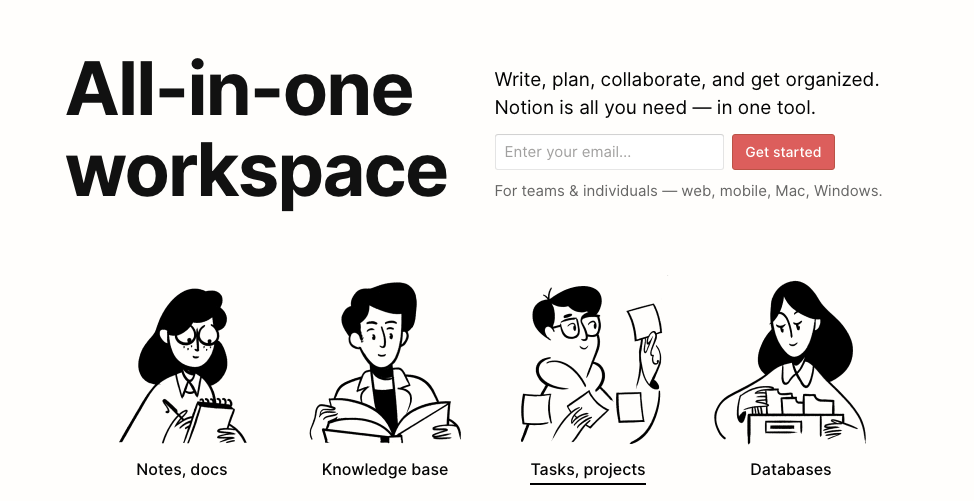
A single space where creativity meets structure. Notion helps you keep ideas, tasks, and assets together in one flexible workspace.
Notion feels like a creative hub where everything has its place. Designers use it to map out mood boards, organize project briefs, and document design systems without hopping across multiple apps. Its strength lies in flexibility as tables, boards, and calendars can be shaped to match your workflow. Want a content calendar? Build one. Need a style guide? Set it up once and update it as your brand evolves. Teams love Notion because collaboration happens in real time, with comments and mentions keeping everyone on the same page. The web clipper and image embedding features also make collecting inspiration effortless. While the learning curve can be steep, templates help you get started quickly. For creatives juggling multiple ideas and clients, Notion becomes a command center that reduces clutter and keeps everything organized.
Slack: Seamless Communication That Fuels Creativity
A place where conversations replace long email threads. Slack makes teamwork smoother with instant messaging, channels, and integrations.
Slack is more than a messaging app; it is the heartbeat of many creative teams. Instead of endless email chains, teams create channels for each project, client, or topic, keeping conversations structured and easy to revisit. Designers often share mockups or assets directly in Slack, get instant feedback, and move projects forward faster. Rich file previews let teammates view content without leaving the platform, while integrations with tools like Figma, Asana, and Google Drive bring everything under one roof. Quick huddles and video calls make it easy to brainstorm ideas or review progress in real time. The searchable history is a lifesaver when you need to revisit past feedback or retrieve a shared file. Used thoughtfully, Slack becomes a creative partner, speeding up collaboration and making communication smoother.
Adobe Creative Cloud: The Industry Powerhouse
A trusted suite for professionals who need advanced tools. Adobe Creative Cloud supports every stage from concept to final output.
Adobe Creative Cloud remains the gold standard for professional creatives. The suite includes essential applications like Photoshop for image editing, Illustrator for vector graphics, InDesign for layouts, and Premiere Pro for video production. What makes it powerful is the seamless integration between apps. A designer can create graphics in Illustrator, refine them in Photoshop, and instantly drop them into an InDesign layout. Shared libraries and cloud storage keep assets consistent across projects and accessible from anywhere. Adobe XD adds value for UX and UI designers, allowing wireframing and prototyping within the same ecosystem. While the subscription cost is significant, the investment pays off for those who rely on advanced features and professional-grade output. Creative Cloud also updates frequently, ensuring users have access to the latest tools. For teams handling multiple disciplines, it remains the most comprehensive creative suite.
Asana: Keeping Projects on Track from Concept to Delivery

A tool that balances clarity with collaboration. Asana ensures no deadline or detail gets lost along the way.
Asana is built for teams who need structure without losing flexibility. For creative professionals, it provides clarity by breaking big projects into tasks with deadlines, owners, and priorities.Its views include list, board, timeline, and calendar which let teams choose how to track progress. A campaign manager might prefer timelines, while a designer could stick to task boards. Asana also supports templates, making it easy to replicate recurring workflows like content calendars or product launches. Creative teams benefit from integrations with tools like Slack, Adobe Creative Cloud, and Google Workspace, ensuring updates flow smoothly across platforms. The ability to comment on tasks and attach files keeps communication tied to specific deliverables, avoiding scattered messages. While setup can feel overwhelming at first, once processes are in place, Asana becomes a project backbone. It keeps designers focused on deadlines while leaving room for creativity to thrive.
Figma: The Real-Time Playground for Designers

A browser-based platform built for collaboration. Figma makes designing, prototyping, and feedback seamless in one space.
Figma has transformed how teams approach design collaboration. It is cloud-based, meaning multiple designers can work on the same file simultaneously, eliminating version control headaches. For UI and UX projects, this real-time editing is a game changer. Teams can sketch wireframes, design mockups, and build interactive prototypes in one place. The built-in prototyping feature allows stakeholders to click through designs and share feedback instantly, speeding up iteration cycles. Component libraries make managing design systems simple, ensuring brand consistency across projects. Developers also benefit from Figma’s handoff features, which generate code snippets directly from the design. Since it runs in the browser, there’s no need for heavy installations, and updates are automatic. While it relies on a stable internet connection, Figma’s accessibility and collaboration features far outweigh the limitations.
Trello: Visual Boards That Keep Ideas Flowing

A simple and visual way to track progress. Trello’s boards, lists, and cards make project management easy to understand at a glance.
Trello brings visual simplicity to project management, making it a favorite for creatives who like to see their work laid out. Its Kanban-style boards use lists and cards to represent stages of a project. A design team, for example, can move cards from “Ideas” to “In Progress” to “Review” with a simple drag-and-drop. Each card can hold checklists, attachments, and comments, so all task-related information stays in one place. Trello’s Power-Ups extend its functionality, integrating with tools like Slack, Google Drive, and Dropbox. Automation with Butler further reduces repetitive tasks, such as moving cards or sending reminders. Its biggest strength is ease of use since teams can get started in minutes without a steep learning curve. While it lacks the advanced reporting features of Asana or Monday.com, Trello’s visual boards offer a straightforward way to track progress and keep creative projects moving.
Airtable: Spreadsheets That Power Creative Workflows

A spreadsheet that works like a database. Airtable helps creatives manage projects and assets with a mix of structure and flexibility.
Airtable blends the familiarity of spreadsheets with the flexibility of databases. For creative teams, this means projects and assets can be managed in a way that is both structured and visually engaging. Imagine a content team tracking blog posts with links to drafts, deadlines, and design assets, all connected in one Airtable base. Designers can switch between grid view, Kanban, calendar, and gallery, choosing whichever layout fits the task. The ability to link records between tables makes it easy to connect related data, like pairing design assets with client feedback. Airtable also supports automations, reducing repetitive steps such as updating statuses or sending reminders. While larger teams may hit record limits on lower plans, its adaptability is unmatched. For agencies handling complex projects or creatives juggling multiple clients, Airtable becomes a dynamic control center that keeps workflows clear and connected.
Miro: A Whiteboard That Knows No Limits

An infinite canvas for creative thinking. Miro makes brainstorming, mapping, and visual collaboration effortless for remote and local teams.
Miro provides an infinite digital canvas where creativity can unfold without boundaries. It is ideal for brainstorming sessions, mind maps, and early design explorations. Distributed teams love Miro because it feels like gathering around a whiteboard, even when working remotely. Designers can sketch wireframes, drop sticky notes, or map out customer journeys with real-time collaboration. Its extensive template library covers design thinking, agile planning, and journey mapping, which helps teams jump into structured sessions quickly. Integrations with tools like Slack, Google Drive, and Asana keep it connected to the wider workflow. While large boards can get messy if not organized, Miro’s flexibility makes it one of the best tools for creative ideation. It is particularly useful during the early stages of a project, where visual thinking and collaboration drive clarity and innovation.
Monday.com: Custom Workflows for Every Creative Need

A platform that adapts to your process. Monday.com gives teams visual dashboards and automations that simplify complex projects.
Monday.com is built for customization, making it perfect for creative teams with unique workflows. Its boards allow you to track projects visually using timelines, calendars, and Kanban views. Teams can tailor boards to fit their processes, whether that means managing design sprints, tracking client revisions, or scheduling content campaigns. Automation recipes take away repetitive tasks, like notifying a team member when a status changes. Color-coded statuses and progress bars give instant clarity on where projects stand. While it may feel overwhelming at first, once customized, Monday.com offers a clear picture of workloads and deadlines. Integrations with Adobe Creative Cloud, Slack, and Google Drive make it fit easily into existing tool stacks. Although it comes at a higher cost for large teams, its versatility makes it a strong choice for agencies and creatives handling complex projects.
Bookmarkify: Organizing Creative Inspiration
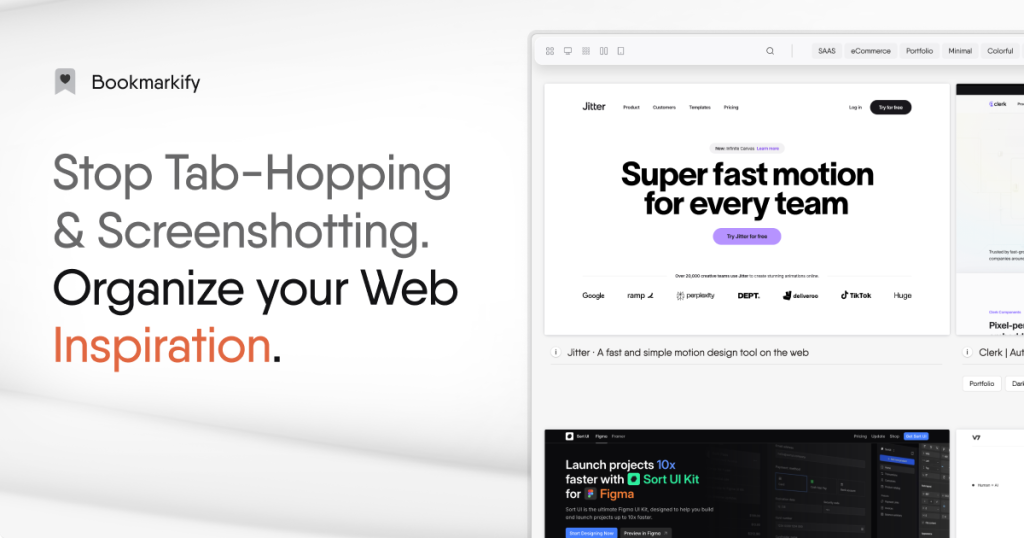
A cleaner way to save and revisit ideas. Bookmarkify turns messy tabs into a structured gallery of design references. Instead of cluttered browsers or messy folders, it turns saved websites into a visual gallery that is easy to navigate. Designers can categorize references, tag projects, and view resources in multiple formats, from grid to mobile view. This makes it perfect for quickly revisiting color palettes, layouts, or competitor sites. Shareable links also allow teams to collaborate on inspiration boards, keeping everyone aligned on creative direction. While it lacks some of the broader features of project management tools, its focused approach to organizing visual references makes it invaluable. For web designers, UI experts, and product creators, Bookmarkify becomes a dedicated space for curating and rediscovering ideas. It is a simple but effective way to keep inspiration accessible without losing time searching for that one tab you left open weeks ago.
How to Choose the Right Workflow Tools
Every creative team has its own rhythm. Some need detailed project management, while others work best with flexible visual boards. The key is to start with a few tools that match your current needs and then expand as your projects grow.
Look for platforms that integrate well with each other, because switching between disconnected apps slows everyone down. If your team collaborates on design, Figma and Slack are a natural pair. If you need structured planning, Asana or Monday.com will help. For inspiration and asset organization, Bookmarkify and Airtable make sure nothing gets lost.
The best workflow tools are the ones that reduce friction and give you more time to focus on creativity. With the right stack, you will move faster from ideas to polished results while keeping your projects organized and your team aligned.
Conclusion
A strong creative process is not just about talent, it is also about how well you organize, collaborate, and deliver. The tools we explored give designers and teams the structure they need to manage ideas, assets, and deadlines without losing focus. From Notion and Slack to Figma, Asana, and Bookmarkify, each platform plays a unique role in turning scattered thoughts into finished projects.
The best way forward is to choose a small set of tools that match your current needs and gradually expand as your workflow evolves. Look for integrations that connect everything smoothly so your team spends less time switching between apps and more time creating. With the right workflow stack in place, your ideas move faster from concept to reality, and your projects reach completion with clarity and ease.

